Einführung
This manual provides detailed instructions for the proper use, setup, and maintenance of your Trevi EAR 100 AID Wireless Headphones. Please read this manual carefully before using the product to ensure optimal performance and longevity.
Packungsinhalt
Überprüfen Sie, ob alle Artikel im Paket vorhanden sind:
- Trevi EAR 100 AID Wireless Headphones (Left and Right Earbuds)
- Charging Case with Touch Display
- USB-C-Ladekabel
- 2 Pairs of Ear Tips (various sizes)
- Benutzerhandbuch (dieses Dokument)
Produkt überview
Familiarize yourself with the components of your Trevi EAR 100 AID headphones.
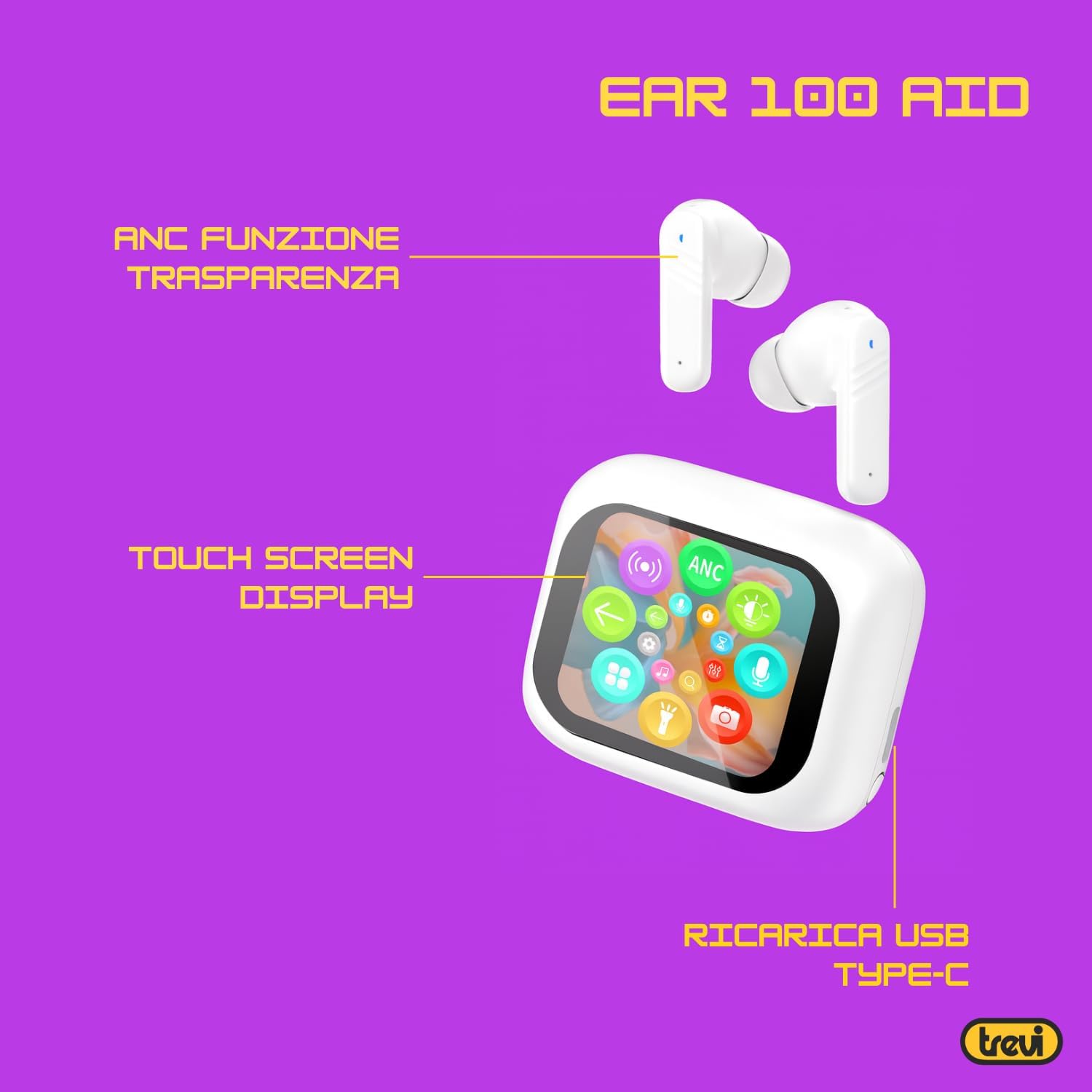
Image: Trevi EAR 100 AID Wireless Headphones and Charging Case. This image shows the earbuds and the charging case from a front-facing perspective.

Abbildung: Seite view of Trevi EAR 100 AID Wireless Headphones and Charging Case. This image provides a profile view of the earbuds and their charging case.
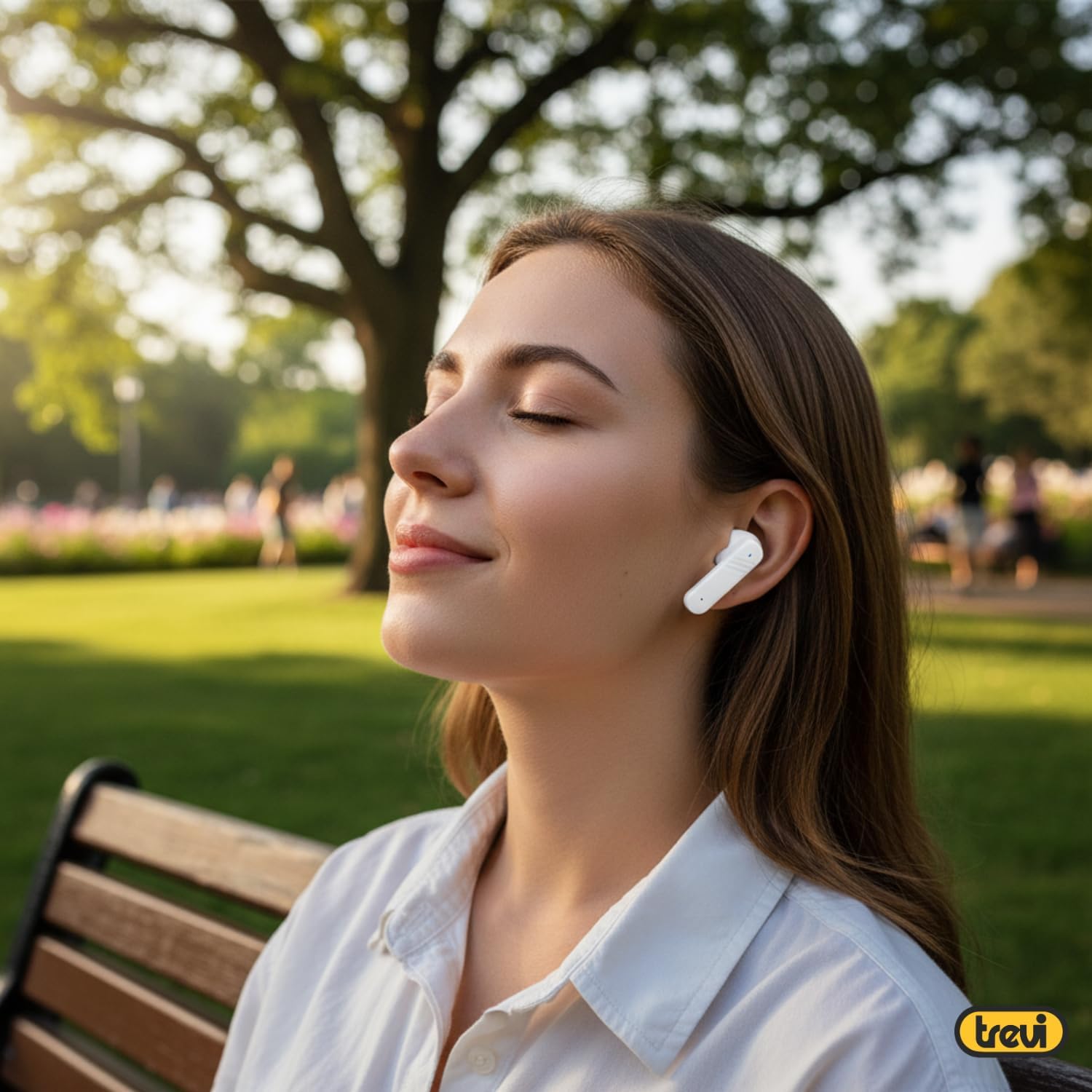
Abbildung: Rückseite view of Trevi EAR 100 AID Wireless Headphones and Charging Case. This image displays the rear aspect of the earbuds and their charging case.

Bild: Überview of Trevi EAR 100 AID features. This graphic highlights the Active Noise Cancellation (ANC) and Transparency function, the Touch Screen Display on the charging case, and the USB-C charging port.
Aufstellen
1. Aufladen der Kopfhörer und des Ladecase
Vor dem ersten Gebrauch die Kopfhörer und das Ladecase vollständig aufladen.
- Legen Sie die Ohrhörer in das Ladeetui.
- Verbinden Sie das USB-C-Ladekabel mit dem Ladeanschluss am Gehäuse und mit einer Stromquelle.
- Das Display am Ladecase zeigt den Ladestatus an.
- A full charge provides up to 5 hours of earbud autonomy, extendable with the charging case.

Image: Smart Charging Case with Rapid Charging. This image shows the open charging case with earbuds inside, emphasizing its quick charging capability via USB Type-C. A QR code for the AI COOL app download is also visible.
2. Koppeln mit einem Gerät
- Stellen Sie sicher, dass sich die Ohrhörer im Ladecase befinden und dass das Case geöffnet ist.
- Aktivieren Sie Bluetooth auf Ihrem Gerät (Smartphone, Tablet usw.).
- Suchen nach "Trevi EAR 100 AID" in the list of available Bluetooth devices.
- Wählen Sie es zum Koppeln aus. Eine Sprachansage bestätigt die erfolgreiche Verbindung.
- The headphones use Wireless V5.4 technology for a fast and reliable connection.
3. AI COOL App Installation
For AI simultaneous translation and advanced features, download the AI COOL app.
- Scan the QR code found on the charging case or in the product packaging.
- Alternativ besuchen Sie https://www.xuanjiai.cn/app/download um die App herunterzuladen.
- Folgen Sie den Anweisungen auf dem Bildschirm, um die App zu installieren und einzurichten.
Bedienungsanleitung
1. Tragen der Ohrhörer
Select the appropriate ear tips for a comfortable and secure fit. Insert the earbuds gently into your ears and adjust them until they feel snug.

Image: A woman wearing Trevi EAR 100 AID earbuds comfortably while relaxing in a park. This illustrates the in-ear fit and comfort of the headphones.
2. Touch Controls on Charging Case Display
The charging case features a touch display for smart controls.
- Musikwiedergabe: Control play, pause, skip tracks directly from the display.
- Anrufverwaltung: Anrufe annehmen, beenden oder ablehnen.
- Audiomodi: Wechseln Sie zwischen den Modi ANC, Transparenz und Normal.
- Equalizer (EQ): Sound Pro anpassenfiles.
- Ohrhörer finden: Use this function to locate misplaced earbuds.

Image: Trevi EAR 100 AID charging case with color LED touch screen. The screen displays various functions such as call answering, music playback, and other smart controls.

Image: Customizable screen options for the Trevi EAR 100 AID charging case. This image shows four dynamic and one static high-quality display options that can be changed at any time.
3. Aktive Geräuschunterdrückung (ANC) und Transparenzmodus
The headphones offer two distinct audio modes for different environments:
- Aktive Geräuschunterdrückung (ANC): Eliminates external noise, providing a quiet listening experience. This mode is ideal for travel or noisy environments, reducing external noise by up to 35 dB with an effectiveness of up to 99.44%.
- Transparenzmodus: Allows you to hear your surroundings while still enjoying your audio. This is useful for situations where you need to be aware of your environment, such as walking in a city or listening to announcements.
Switch between these modes using the touch controls on the charging case or through the connected app.

Image: A person using Trevi EAR 100 AID earbuds on an airplane, demonstrating the deep active noise reduction (ANC) feature. The image highlights the intelligent external noise cancellation up to 35 dB.
4. AI Simultaneous Translation
Utilize the AI COOL app for real-time language translation.
- Ensure the AI COOL app is installed and connected to your headphones.
- Open the app and select the desired translation mode (e.g., conversation mode, interpreter mode).
- Speak into your device's microphone or the earbud's microphone, and the translation will be provided in real-time through the earbuds.
- This feature is designed for seamless communication across language barriers during travel, work, or multilingual conversations.
5. Clear Calls with ENC Technology
The headphones feature Environmental Noise Cancellation (ENC) technology for clear voice calls.
- ENC reduces background noise during calls, making your voice clearer to the person on the other end.
- This technology is optimized for crowded environments, ensuring conversations are clear and free from interference.

Image: A man making a phone call using Trevi EAR 100 AID earbuds. This image illustrates the ENC (Environmental Noise Cancellation) technology for clear calls, optimized for crowded environments.
Wartung
- Reinigung: Reinigen Sie die Ohrhörer und das Ladecase regelmäßig mit einem weichen, trockenen und fusselfreien Tuch. Verwenden Sie keine Scheuermittel oder Lösungsmittel.
- Ohrtipps: Remove and clean the ear tips with mild soap and water, then dry thoroughly before reattaching.
- Lagerung: Bewahren Sie die Kopfhörer bei Nichtgebrauch im Ladeetui auf, um sie vor Staub und Beschädigungen zu schützen.
- Batteriepflege: Um die Akkulaufzeit zu verlängern, vermeiden Sie häufiges vollständiges Entladen des Akkus. Laden Sie das Gerät regelmäßig auf, auch wenn es längere Zeit nicht benutzt wird.
Fehlerbehebung
| Problem | Mögliche Lösung |
|---|---|
| Die Kopfhörer lassen sich nicht einschalten. | Ensure the charging case and earbuds are fully charged. Place earbuds in the case and close it, then open again. |
| Kopplung mit dem Gerät nicht möglich. | Make sure Bluetooth is enabled on your device. Ensure earbuds are in pairing mode (usually by opening the case). Forget the device from your Bluetooth list and try pairing again. |
| Kein Ton oder geringe Lautstärke. | Check volume levels on both your device and the headphones. Ensure earbuds are properly seated in your ears. Reconnect the Bluetooth connection. |
| AI Translation not working. | Verify the AI COOL app is installed, updated, and properly connected to the headphones. Check your internet connection for translation services. |
| Ladeprobleme. | Check the USB-C cable and power adapter. Ensure the charging contacts on the earbuds and case are clean and free of debris. |
Technische Daten
| Besonderheit | Detail |
|---|---|
| Marke | Trevi |
| Modellname | EAR 100 AID |
| Farbe | Weiß |
| Platzierung des Ohrs | In-Ear |
| Formfaktor | In-Ear |
| Lärmschutz | Aktive Geräuschunterdrückung (ANC) |
| Kopfhöreranschluss | No Jack (Wireless) |
| Konnektivitätstechnologie | Kabellos |
| Drahtlose Kommunikationstechnologie | Bluetooth V5.4 |
| Im Lieferumfang enthaltene Komponenten | 2 Ear Tips, Cable, User Manual |
| Akkulaufzeit (Ohrhörer) | Up to 5 hours (extendable with charging case) |
| ANC Effectiveness | Up to 35 dB reduction, 99.44% shielding effectiveness |
Garantie und Support
For warranty information and technical support, please refer to the official Trevi webBesuchen Sie die Website oder kontaktieren Sie den Kundenservice. Bewahren Sie Ihren Kaufbeleg für Garantieansprüche auf.
Weitere Unterstützung finden Sie unter Trevi Store on Amazon.


