Einführung
Thank you for choosing the MOZC AI Translator Earphones Model Q17. This manual provides essential information for setting up, operating, and maintaining your device. Please read it thoroughly before use to ensure optimal performance and longevity of your earphones.
The MOZC Q17 combines advanced AI translation capabilities with a comfortable Open Wearable Stereo (OWS) design, offering a unique audio experience for communication and entertainment.
Produkt überview und Funktionen
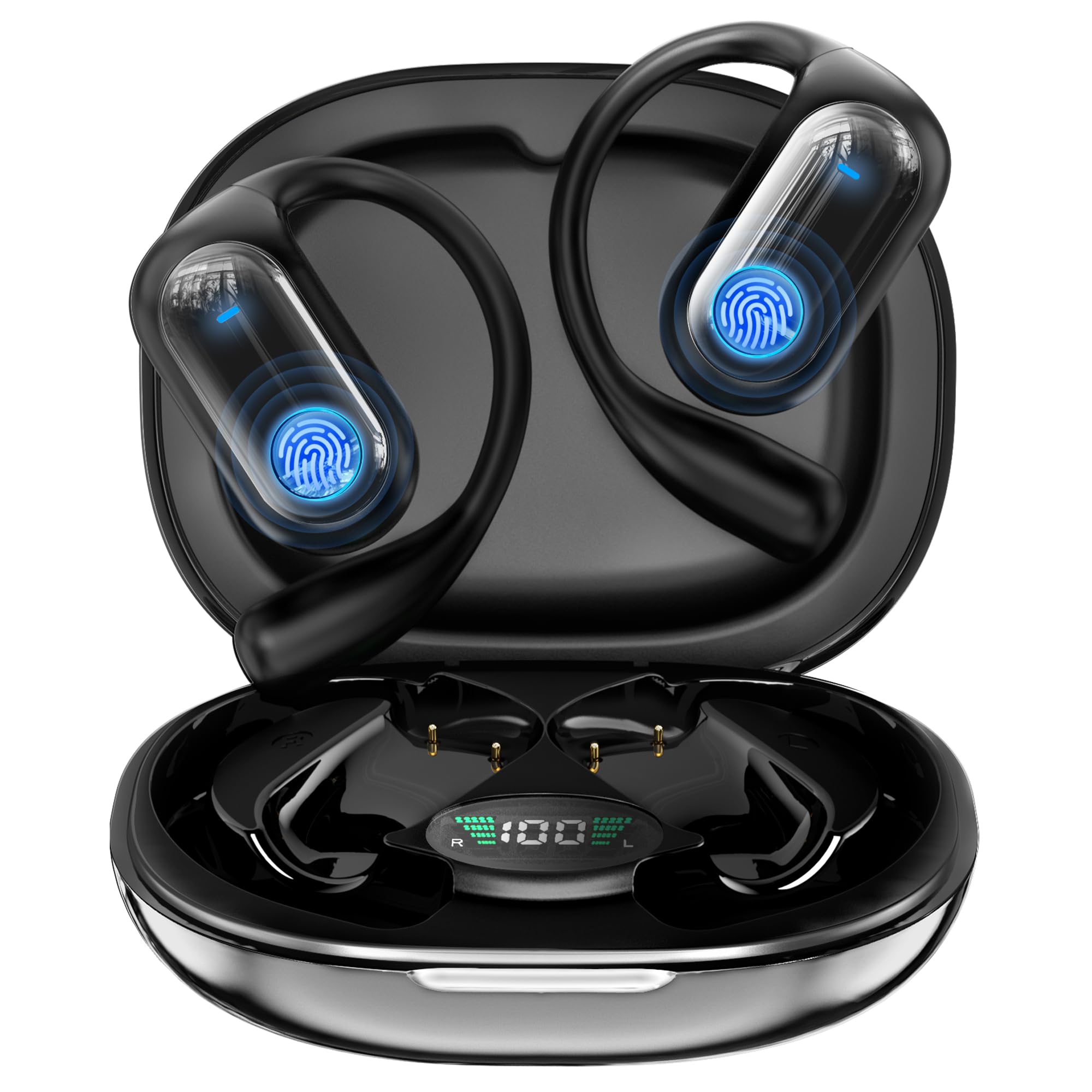
Image: The MOZC Q17 AI Translator Earphones in their charging case.
Open Listening Experience (OWS Design)
The Q17 earphones feature an Open Wearable Stereo (OWS) design that rests comfortably on your ears without blocking the ear canal. This air conduction method reduces pressure and stuffiness, making them suitable for extended wear. The open design allows you to remain aware of your surroundings, enhancing safety during outdoor activities while still enjoying your audio.

Image: The MOZC Q17 OWS Earphones showcasing their open-ear design for comfortable, long-term wear and environmental awareness.
AI High-Precision Translation & Music Playback
Equipped with the latest generative AI technology, the Q17 provides natural and accurate real-time translation for 168 languages. It understands specialized terminology and subtle nuances, making it ideal for business meetings, online conferences, customer support, and travel. The device also functions as high-performance wireless earphones for high-quality music and clear calls.

Image: Illustration of the MOZC Q17 earphones highlighting AI translation capabilities and music playback functionality.
Bequeme und sichere Passform
The Q17 earphones are designed for a secure fit that conforms to the shape behind your ear, preventing slippage during strenuous activities like running or cycling. Each earbud weighs only 10g and is made with skin-friendly silicone material, ensuring comfort and reducing fatigue during prolonged use, even for those wearing glasses.

Image: Close-up of the MOZC Q17 earphone demonstrating its ergonomic design for a comfortable and secure fit.
Advanced Connectivity and Audio Quality
Featuring Bluetooth 6.1+EDR, the Q17 ensures stable, low-latency connections with minimal sound skipping. It supports Hi-Fi sound quality and AAC audio, delivering clear, balanced sound with delicate highs, rich mids, and powerful lows. The built-in ENC noise-canceling microphone effectively suppresses ambient noise for clear calls. The earphones are also resistant to daily life water splashes (not fully waterproof).
Instant Pairing and Long Battery Life
After initial pairing, the earphones automatically connect to your smartphone when removed from the charging case and power off when returned. They support independent use of each earbud. With low-power consumption technology, the earphones offer up to 8 hours of playback, extending to 50 hours with the charging case. Both fully charge in approximately 1 hour. The charging case includes an LED display for battery level indication.

Image: The MOZC Q17 charging case displaying its LED battery indicator and the earphones inside.
Installationsanweisungen
- Laden Sie die Kopfhörer auf: Before first use, fully charge the earphones and the charging case. Place the earphones into the charging case and connect the case to a power source using the provided USB cable. The LED display on the case will indicate charging status.
- Laden Sie die App herunter: Download the "BitDynamic" app from your smartphone's App Store (iOS) or Google Play Store (Android). This app is essential for utilizing the translation features.
- Anfängliche Kopplung:
- Stellen Sie sicher, dass Bluetooth auf Ihrem Smartphone aktiviert ist.
- Öffnen Sie das Ladecase und entnehmen Sie beide Ohrhörer. Diese wechseln automatisch in den Kopplungsmodus.
- On your smartphone, go to Bluetooth settings and select "YYK-Q17" from the list of available devices to connect.
- Once connected, open the "BitDynamic" app. The app may prompt you to grant permissions (e.g., microphone, location). Accept these for full functionality.
- Within the app, confirm that the earphones are connected.

Image: Screenshot showing the "BitDynamic" app available for download on a smartphone.

Image: Visual guide demonstrating the Bluetooth pairing process for the MOZC Q17 earphones with a smartphone.
Bedienungsanleitung
Basic Earphone Controls
- Abspielen/Pause: Tippen Sie einmal auf einen der Ohrhörer.
- Nächster Titel: Doppeltippen Sie auf den rechten Ohrhörer.
- Vorheriges Lied: Doppeltippen Sie auf den linken Ohrhörer.
- Anruf annehmen/beenden: Tippen Sie einmal auf einen der Ohrhörer.
- Anruf ablehnen: Halten Sie einen der Ohrhörer 2 Sekunden lang gedrückt.
- Sprachassistenten aktivieren: Tippen Sie dreimal auf einen der Ohrhörer.
Using the Translation Function (via BitDynamic App)
The BitDynamic app offers various translation modes:
- Touch-Modus: Tap an earbud to speak, and the app will translate and play the audio through the other earbud or your phone speaker.
- Freier Redemodus: For continuous conversation, the app automatically detects and translates speech from both parties.
- Lautsprechermodus: Your speech is translated and played through your phone's speaker, while the other person's speech is translated and played through your earphones.
- Offline-Modus: Allows basic translation without an internet connection (requires pre-downloaded language packs).

Image: Diagram illustrating the four different translation modes available with the MOZC Q17 earphones and the BitDynamic app.
Real-time Translation Example
For real-time translation, ensure both earphones are connected and the app is open. Select the desired languages. Speak clearly into the microphone, and the translated speech will be delivered to the other party or played back to you.

Image: A user demonstrating real-time translation using the MOZC Q17 earphones and the smartphone app, showing spoken and translated text.
Unterstützte Sprachen
The MOZC Q17 supports translation for 168 languages, facilitating global communication. More languages may be added via app updates.

Image: A collage of national flags representing the wide range of languages supported by the MOZC Q17 translation feature.
Wartung
- Reinigung: Gently wipe the earphones and charging case with a soft, dry, lint-free cloth. Do not use abrasive cleaners, alcohol, or chemical solvents.
- Wasserbeständigkeit: The earphones are resistant to daily life water splashes and sweat. Do not submerge them in water or expose them to heavy rain. Ensure they are dry before placing them back in the charging case.
- Lagerung: Store the earphones in their charging case when not in use to protect them and keep them charged. Avoid extreme temperatures and direct sunlight.
- Batteriepflege: Um die Akkulaufzeit zu verlängern, sollten Sie die Kopfhörer nicht häufig vollständig entladen. Laden Sie sie regelmäßig auf, auch wenn Sie sie längere Zeit nicht benutzen.
Fehlerbehebung
| Problem | Lösung |
|---|---|
| Earphones do not pair. |
|
| Kein Ton oder schlechte Tonqualität. |
|
| Die Übersetzung ist ungenau oder funktioniert nicht. |
|
| Charging case LED not working. |
|
Technische Daten
| Besonderheit | Detail |
|---|---|
| Marke | MOZC |
| Modellname | Q17 (yyk-Q17) |
| Farbe | Ebenholz Schwarz |
| Konnektivität | Bluetooth 6.1 + EDR |
| Audio-Codec | Unterstützte Kommunikation |
| Wiedergabezeit über Kopfhörer | Bis zu 8 Stunden |
| Gesamtwiedergabezeit (mit Hülle) | Bis zu 50 Stunden |
| Ladezeit | Approx. 1 hour (earphones & case) |
| Ohrhörergewicht | Ca. 10 g (pro Ohrhörer) |
| Wasserbeständigkeit | Daily life water splash resistant (not fully waterproof) |
| Übersetzungssprachen | 168 Sprachen |
Garantie und Support
This MOZC Q17 product comes with a 1 Jahr Garantie from the date of purchase. The warranty covers manufacturing defects under normal use. Please retain your proof of purchase for warranty claims.
For technical support, troubleshooting assistance, or warranty inquiries, please contact MOZC customer service through the contact information provided on your purchase platform or the official MOZC webWebsite.
Please note that the warranty does not cover damage caused by misuse, accidents, unauthorized modifications, or failure to follow the instructions in this manual.


