1. Einleitung
This manual provides essential information for setting up, operating, maintaining, and troubleshooting your Google Pixel 10 Pro XL smartphone. Please read this guide thoroughly to ensure optimal performance and longevity of your device.
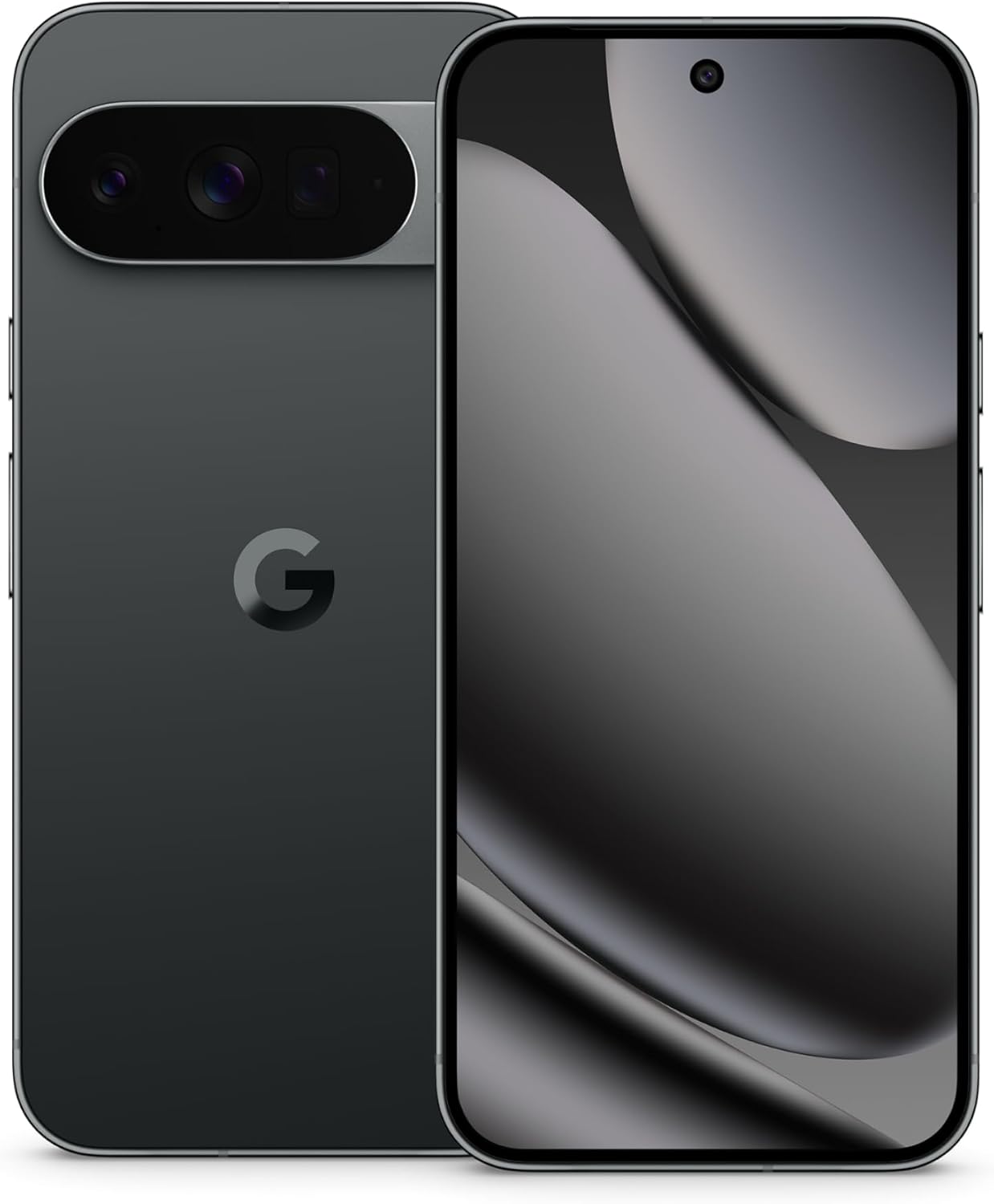
Image: The Google Pixel 10 Pro XL in Obsidian, showcasing its sleek design and camera bar.
2. Einrichtung
2.1. Lieferumfang
Upon opening your Google Pixel 10 Pro XL package, you should find the following items:
- Google Pixel 10 Pro XL Handy
- USB-Typ-C-Kabel
Please note that other accessories, such as a power adapter or headphones, may be sold separately.
2.2. Auspacken und erste Inspektion
Carefully remove the phone and accessories from the packaging. Inspect the device for any visible damage before proceeding with setup.
Video: An unboxing demonstration of the Google Pixel 10 Pro XL. This video illustrates the packaging contents and the initial appearance of the device.
2.3. Einschalten und Ersteinrichtung
- Halten Sie den Ein-/Ausschalter (auf der rechten Seite des Geräts) gedrückt, bis das Google-Logo erscheint.
- Folgen Sie den Anweisungen auf dem Bildschirm, um Ihre Sprache auszuwählen, eine WLAN-Verbindung herzustellen und die Allgemeinen Geschäftsbedingungen zu akzeptieren.
- Sign in with your Google Account or create a new one. This is essential for accessing Google services and the Play Store.
- Transfer data from your old device (optional). The setup wizard will guide you through options like Quick Switch Adapter or cloud backup.
2.4. SIM Card Activation (eSIM)
The Google Pixel 10 Pro XL supports eSIM technology, eliminating the need for a physical SIM card. During phone setup, you will be prompted to activate your eSIM. For more details, visit g.co/pixel/esim.
3. Bedienung Ihres Geräts
3.1. Grundlegende Navigation
Your Pixel 10 Pro XL runs on Android 16, offering intuitive gesture navigation. Swipe up from the bottom to go home, swipe up and hold for recent apps, and swipe from the left or right edge to go back.
3.2. Kamerasystem
The device features a Triple Rear Camera System. Open the Camera app to access various modes, including Photo, Video, Portrait, and Night Sight.

Image: The Pixel 10 Pro XL's 100x Pro Res Zoom in action, capturing distant subjects with clarity.
Nutzen Sie die 100x Pro Res Zoom for detailed distant shots. The upgraded 50 MP camera also supports Super Steady Videos for stable cinematic footage.

Image: The Pixel 10 Pro XL's Super Steady Video feature, ensuring smooth recording even during dynamic scenes.
3.3. Gemini KI-Assistent
Your Pixel 10 Pro XL integrates the Gemini AI Assistant. Access it by saying "Hey Google" or by swiping from a corner (configurable). Gemini can assist with tasks, answer questions, and provide real-time information.

Image: The Gemini Live feature on the Pixel 10 Pro XL, allowing users to share their camera view for real-time AI assistance.
3.4. Batteriemanagement
The device is equipped with a fast-charging battery designed to last 24+ Stunden on a single charge. To optimize battery life:
- Bildschirmhelligkeit anpassen.
- Aktivieren Sie bei Bedarf den Batteriesparmodus.
- Schließen Sie nicht verwendete Apps, die im Hintergrund ausgeführt werden.
For faster charging, use a compatible USB Type-C fast charger (sold separately).
3.5. Anzeige
Experience vibrant visuals on the 6.8" Super Actua Display. This display offers high brightness and clarity for various viewBedingungen.

Image: Details of the Pixel 10 Pro XL's Super Actua display and its robust build quality.
4. Wartung
4.1. Reinigen Ihres Geräts
To clean your Pixel 10 Pro XL:
- Verwenden Sie ein weiches, fusselfreies Tuch.
- Vermeiden Sie abrasive Materialien oder aggressive Chemikalien.
- Bei hartnäckigen Flecken leicht dampspülen Sie das Tuch mit Wasser aus.
4.2. Software Updates (Pixel Drops)
Google regularly releases software updates, known as "Pixel Drops," to enhance features, improve performance, and provide security patches. Ensure your device is connected to Wi-Fi and has sufficient battery life before installing updates.

Image: The Pixel Drops program, illustrating how the phone receives ongoing software enhancements.
4.3. Batteriepflege
Um die Lebensdauer Ihres Akkus zu verlängern:
- Vermeiden Sie extreme Temperaturen.
- Do not consistently drain the battery to 0% or charge it to 100% if not necessary.
- Use certified charging accessories.
5. Fehlerbehebung
5.1. Häufige Probleme
- Gerät reagiert nicht: Halten Sie den Netzschalter etwa 30 Sekunden lang gedrückt, um einen Neustart zu erzwingen.
- Verbindungsprobleme (WLAN/Bluetooth): Try toggling Wi-Fi or Bluetooth off and on. If the issue persists, restart your device or reset network settings.
- Apps stürzen ab: Löschen Sie den Cache und die Daten der problematischen App unter Einstellungen > Apps. Sollte das Problem weiterhin bestehen, deinstallieren Sie die App und installieren Sie sie anschließend neu.
5.2. Werksreset
Durch das Zurücksetzen auf Werkseinstellungen werden alle Daten auf Ihrem Telefon gelöscht und es in den ursprünglichen Zustand zurückversetzt. Dies kann hartnäckige Softwareprobleme beheben, sollte aber nur als letztes Mittel eingesetzt werden. Sichern Sie Ihre Daten, bevor Sie fortfahren.
- Gehen Sie zu Einstellungen > System > Optionen zurücksetzen.
- Wählen Sie „Alle Daten löschen (Werkseinstellungen zurücksetzen)“.
- Bestätigen Sie Ihre Entscheidung und geben Sie gegebenenfalls Ihre PIN/Ihr Passwort ein.
6. Spezifikationen
The Google Pixel 10 Pro XL is engineered for advanced performance and user experience.

Image: An illustration of the Pixel 10 Pro XL's internal components, emphasizing its powerful processor and memory.
| Besonderheit | Detail |
|---|---|
| Modellname | Pixel 10 Pro XL |
| Betriebssystem | Android 16 |
| Prozessor | Google Tensor (3.78 GHz CPU Speed) |
| RAM | 16 GB |
| Interner Speicher | 256 GB (Maximum 256 GB Flash Memory Supported) |
| Anzeigegröße | 6.8 Inches Super Actua Display |
| Bildschirmauflösung | 3292 x 3292 |
| Batteriekapazität | 5200 mAh (Battery Power Rating: 5200) |
| Konnektivität | Bluetooth, NFC, Wi-Fi, USB Type-C |
| Abmessungen (Produkt) | 6.4 x 3 x 0.3 Zoll |
| Artikelgewicht | 12.3 Unzen (0.35 Kilogramm) |
| Farbe | Obsidian |
| Mobilfunkanbieter | Für alle Träger freigeschaltet |
7. Garantie und Support
7.1. Eingeschränkte Garantie
Your Google Pixel 10 Pro XL is covered by a limited warranty from Google. This warranty typically covers defects in materials and workmanship under normal use. For specific terms and conditions, including duration and coverage details, please refer to the warranty information provided with your purchase or visit the official Google support webWebsite.
7.2. Kundendienst
For further assistance, technical support, or warranty claims, please contact Google Support:
- Online-Hilfe: Visit the official Google Pixel Help Center (support.google.com/pixelphone).
- Community-Foren: Engage with other Pixel users and experts for solutions.
When contacting support, have your device's serial number and proof of purchase ready.


