1. Einleitung
Thank you for choosing the iTouchless 13 Gallon Automatic Motion Sensor Trash Can. This manual provides essential information for the proper setup, operation, and maintenance of your new appliance. Please read it thoroughly before use and retain it for future reference.

The iTouchless 13 Gallon Automatic Motion Sensor Trash Can, designed for modern kitchens.
2. Sicherheitshinweise
- Do not immerse the lid in water or any other liquid.
- Do not push the lid open manually, as this may damage the gear mechanism.
- Avoid placing the trash can in direct sunlight or in areas with high humidity.
- Für eine optimale Leistung muss der Sensorbereich sauber und frei von Hindernissen sein.
- Use only the specified battery type (4 D-size batteries) or an optional iTouchless AC adapter.
3. Packungsinhalt
Prüfen Sie, ob alle Artikel in Ihrem Paket enthalten sind:
- iTouchless 13 Gallon Stainless Steel Automatic Trash Can
- Lid with Motion Sensor Mechanism
- Retainer Ring for Trash Bag
- AbsorbX Carbon Odor Filter (1 included)
- Benutzerhandbuch (dieses Dokument)
4. Einrichtung
4.1 Strominstallation
Your trash can can be powered by 4 D-size batteries (not included) or an optional iTouchless AC adapter (sold separately).

The trash can offers two power options: 4 D-size batteries or an optional AC adapter.
- Einlegen der Batterie: Open the battery compartment on the underside of the lid. Insert 4 D-size batteries, ensuring correct polarity (+/-). Close the compartment securely.
- Anschluss des Netzteils: If using the AC adapter, plug it into the designated port on the back of the lid and then into a wall outlet.
4.2 Odor Filter Installation
The AbsorbX Carbon Odor Filter helps neutralize odors.

Install the AbsorbX Carbon Odor Filter into the designated slot inside the lid to neutralize odors.
- Locate the filter compartment inside the lid.
- Insert the AbsorbX Carbon Odor Filter into the slot.
4.3 Trash Bag Installation
Use the included retainer ring to secure the trash bag and keep it hidden.

The retainer ring holds the trash bag securely in place and conceals it from view.
- Place a 13-gallon trash bag into the can.
- Fold the top edges of the trash bag over the rim of the can.
- Place the retainer ring over the trash bag, securing it in place.
5. Bedienungsanleitung
5.1 Funktionsweise des Bewegungssensors
The infrared motion sensor allows for touchless operation.
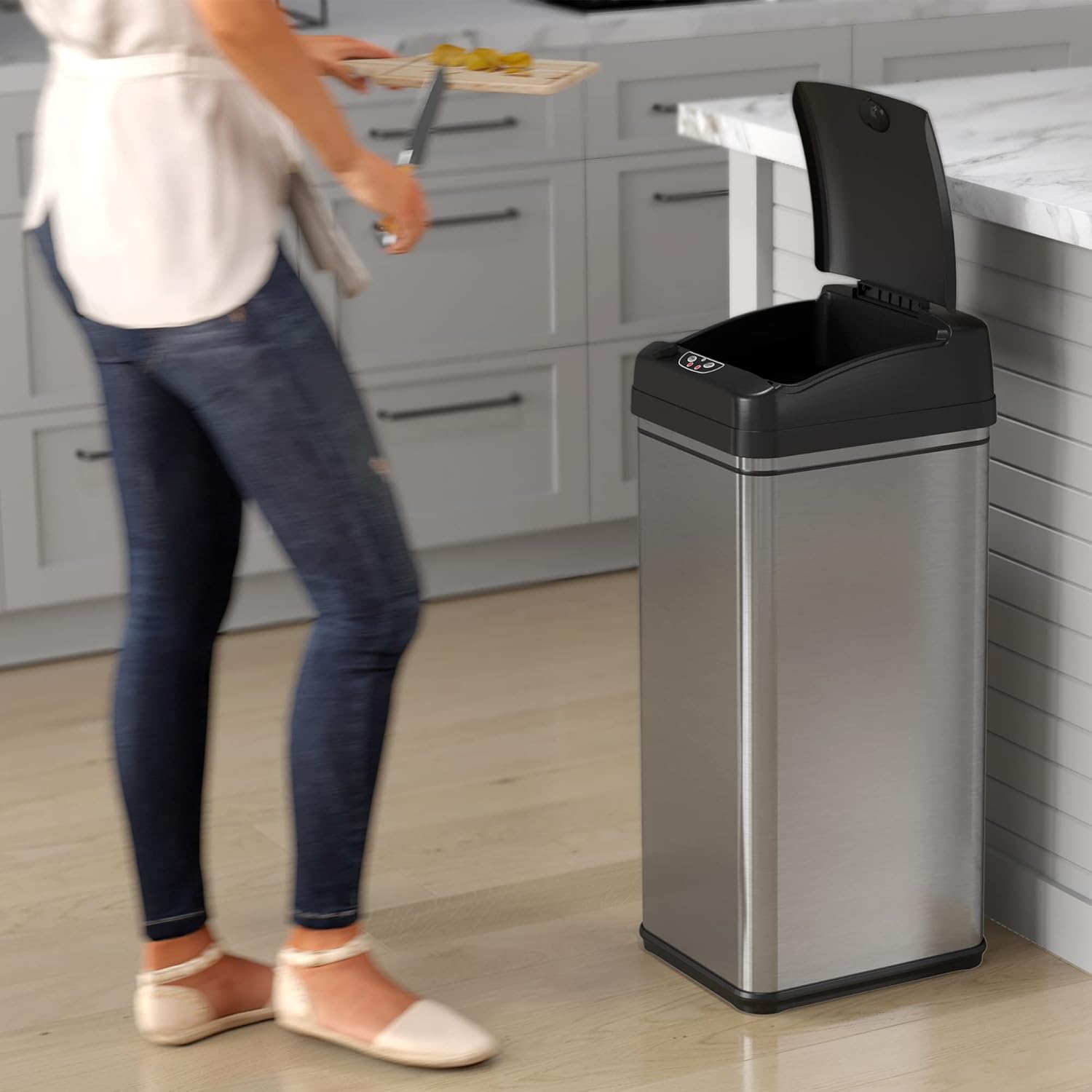
The motion sensor automatically opens the lid when an object is detected above it.
- Wave your hand or an object within 6 inches above the sensor.
- The lid will open automatically and remain open for approximately 5 seconds.
- Der Deckel schließt sich nach 5 Sekunden Inaktivität automatisch.
5.2 Manual Open/Close Buttons
For longer disposal times or specific control, use the manual buttons.

The trash can offers both motion sensor and manual touch button operation for opening the lid.
- Drücken Sie die OFFEN button to keep the lid open indefinitely.
- Drücken Sie die SCHLIESSEN button to close the lid.
5.3 Pet Lock Feature
Engage the Pet Lock to prevent pets from opening the lid.
- Locate the Pet Lock switch on the side of the lid.
- Slide the switch to the locked position to disable the motion sensor.
- Slide the switch to the unlocked position to re-enable the motion sensor.
5.4 Videodemonstrationen
This video demonstrates the motion sensor functionality and overall thoughts on the iTouchless kitchen trash can.
Dieses Video bietet eine Wiederholungview of the automatic opening lid, highlighting both its advantages and potential considerations.
6. Wartung
6.1 Reinigung
To maintain the appearance and hygiene of your trash can:
- Wischen Sie den Edelstahlkörper mit einem weichen, fusselfreien Tuch ab.amp Ein Tuch und ein mildes Reinigungsmittel verwenden. Scheuermittel vermeiden.
- Clean the sensor area with a soft, dry cloth to ensure proper function.
- Der Deckel kann mit einem Tuch abgewischt werden.amp Tuch. Nicht eintauchen.
6.2 Odor Filter Replacement
The AbsorbX Carbon Odor Filter should be replaced every 3 months for optimal odor control.
- Remove the old filter from the compartment inside the lid.
- Insert a new AbsorbX Carbon Odor Filter.
6.3 Batteriewechsel
Replace batteries when the lid's operation becomes slow or inconsistent.
- Open the battery compartment on the underside of the lid.
- Remove the old D-size batteries and dispose of them properly.
- Insert 4 new D-size batteries, observing correct polarity.
- Schließen Sie das Batteriefach.
7. Fehlerbehebung
If you encounter issues with your iTouchless trash can, refer to the following common problems and solutions:
| Problem | Mögliche Ursache | Lösung |
|---|---|---|
| Deckel öffnet sich nicht automatisch. | Dead batteries, obstructed sensor, Pet Lock engaged. | Replace batteries, clean sensor, disengage Pet Lock. |
| Der Deckel öffnet und schließt sich willkürlich. | Sensor interference (e.g., direct sunlight, reflective surfaces, pets), low batteries. | Relocate the trash can, replace batteries. |
| Lid closes too quickly or slowly. | Schwache Batterien. | Batterien ersetzen. |
| Odor is still present. | Odor filter needs replacement. | Replace AbsorbX Carbon Odor Filter. |
8. Spezifikationen
Detailed product specifications for the iTouchless 13 Gallon Automatic Motion Sensor Trash Can:

Key dimensions of the iTouchless 13 Gallon Automatic Motion Sensor Trash Can.
| Besonderheit | Detail |
|---|---|
| Marke | itouchlos |
| Modellnummer | DZT13P |
| Kapazität | 13 Gallonen |
| Farbe | Gebürstetes Silber |
| Öffnungsmechanismus | Bewegungssensor |
| Material | Edelstahl |
| Technische Daten | 12.7 Zoll L x 10.8 Zoll B x 27.2 Zoll H |
| Artikelgewicht | 8 Pfund |
| Stromquelle | 4 D batteries (not included) or optional AC Adapter (sold separately) |
| Besondere Merkmale | Dent Resistant, Motion Sensor, Odor Seal, Quiet Close, Removable Lid, Rustproof, Smudge Resistant |
9. Garantie und Support
iTouchless products are designed for durability and performance. For warranty information or technical support, please visit the official iTouchless webBesuchen Sie die Website oder kontaktieren Sie den Kundendienst. Bewahren Sie Ihren Kaufbeleg als Kaufnachweis auf.


