1. Einleitung
This user manual provides detailed instructions for the ANCEL BM300 Pro Battery Monitor and the ANCEL DS500BT Bidirectional OBD2 Scanner. Please read this manual thoroughly before using the devices to ensure proper operation and to maximize their functionality. Keep this manual for future reference.
2. ANCEL BM300 Pro Battery Monitor
2.1. Zu Endeview und Hauptmerkmale
The ANCEL BM300 Pro is an advanced battery monitor designed for 6V, 12V, and 24V battery systems. It offers enhanced features over its predecessor, including upgraded Bluetooth 5.3 connectivity, IP67 waterproofing, and extended data storage. This device allows for comprehensive monitoring of battery health and performance.
- Breite Kompatibilität: Supports 6V, 12V, and 24V battery systems, including lead-acid and lithium batteries.
- Erweiterte Bluetooth-Verbindung: Features Bluetooth 5.3 for stable and efficient wireless communication.
- Erweiterter Datenspeicher: Stores up to 72 days of battery data, allowing for historical analysis.
- IP67 Wasserdichtigkeit: Provides robust protection against dust and water ingress.
- Überwachung mehrerer Batterien: Capable of monitoring up to 4 batteries simultaneously.
- Umfassende Gesundheitsüberwachung: Tracks Vol.tage, cranking system, charging system, and driving records.
- Geringer Stromverbrauch: Operates with a minimal power draw of approximately 1mA.
2.2. Einrichtung und Installation
The BM300 Pro is designed for permanent installation on your vehicle's battery, providing continuous monitoring without repeated setup.
- Laden Sie die App herunter: Scannen Sie den auf der Produktverpackung enthaltenen QR-Code oder besuchen Sie http://link.quicklynks.com/bm300.html to download the ANCEL BM300 Pro application from the App Store or Google Play.
- An die Batterie anschließen: Securely attach the BM300 Pro device to your vehicle's battery terminals. Ensure a firm connection for accurate readings.
- Per Bluetooth verbinden: Open the ANCEL BM300 Pro app on your smartphone. The app will automatically search for and connect to the BM300 Pro device via Bluetooth 5.3.

Figure 2.2.1: BM300 Pro Easy Installation and Bluetooth Connection
2.3. Operation: Battery Monitoring
Once connected, the app provides real-time data and various tests to assess your battery's condition.
- Bandtage-Test: Zeigt die aktuelle Batterieladung antage and State of Charge (SoC).
- Ladetest: Evaluates the vehicle's charging system, showing charging voltage und Ripple.
- Anlasstest: Measures the battery's ability to start the engine, indicating cranking voltage und Zeit.
- Historische Daten: Access stored data for up to 72 days to track battery performance over time.

Figure 2.3.1: Multi-functional Battery Monitoring Interface

Figure 2.3.2: BM300 Pro Accurate Voltage Lesungen
2.4. BM300 Pro Specifications
| Besonderheit | BM300Pro |
|---|---|
| Testvolumentage | 6V, 12V, 24V |
| Unterstützte Batterietypen | Lead-acid batteries & Lithium batteries |
| Datenspeichertage | 72 Tage |
| Geräteverwaltung | Bis zu 4 Batterien |
| Wasserdichtigkeit | IP67 |
| EXCEL Data Export | Ja |
| Vehicle Search Record | Ja |

Figure 2.4.1: BM300 Pro Upgraded Features Comparison
3. ANCEL DS500BT Bidirectional OBD2 Scanner
3.1. Zu Endeview und Hauptmerkmale
The ANCEL DS500BT is a professional bidirectional OBD2 scanner designed for comprehensive vehicle diagnostics and maintenance. It offers a wide range of functions, including advanced reset services and full-system scanning, enabling users to identify and resolve complex vehicle issues.
- Bidirektionale Steuerung: Send commands to the ECU to perform active tests and verify repairs.
- Über 28 Reset-Funktionen: Supports a wide array of professional maintenance resets, including EPB, SAS, and Transmission Adaptations.
- Vollständige Systemdiagnose: Scans all available vehicle modules (PCM, transmission, ABS, SRS, etc.) for a complete health report.
- Live-Datenstrom: Displays real-time sensor data for in-depth analysis.
- DTC-Bibliothek: Built-in database for quick lookup of diagnostic trouble codes.
- FCA AutoAuth & CAN-FD Protocol: Included for compatibility with modern vehicle systems.
3.2. Operation: Diagnostic Functions
The DS500BT provides powerful diagnostic capabilities to help you understand and manage your vehicle's health.
3.2.1. Aktive Tests (Bidirektionale Steuerung)
Perform specific component tests by sending commands to the vehicle's ECU. This allows for verification of component functionality without manual intervention.
- Lichtsteuerung
- Scheibenwischereinstellung
- Window open/close
- Hinterenview Spiegelsteuerung
- Kraftstoffeinspritzdüsentest
- Aktivierung der Startkraftstoffpumpe

Figure 3.2.1: DS500BT Active Test Capabilities
3.2.2. Professional Maintenance Resets
The DS500BT offers over 28 reset functions to clear warning lights and restore vehicle performance after repairs.
- Common Service Resets: Oil Reset, BMS Reset, TPMS Reset, D-P-F Reset.
- System & Safety Resets: SAS Reset, Airbag Reset, ABS Bleeding, EGR Reset.
- Advanced & Custom Resets: Injector Coding, Gear Reset, Stop/Start Reset, Brake Reset.
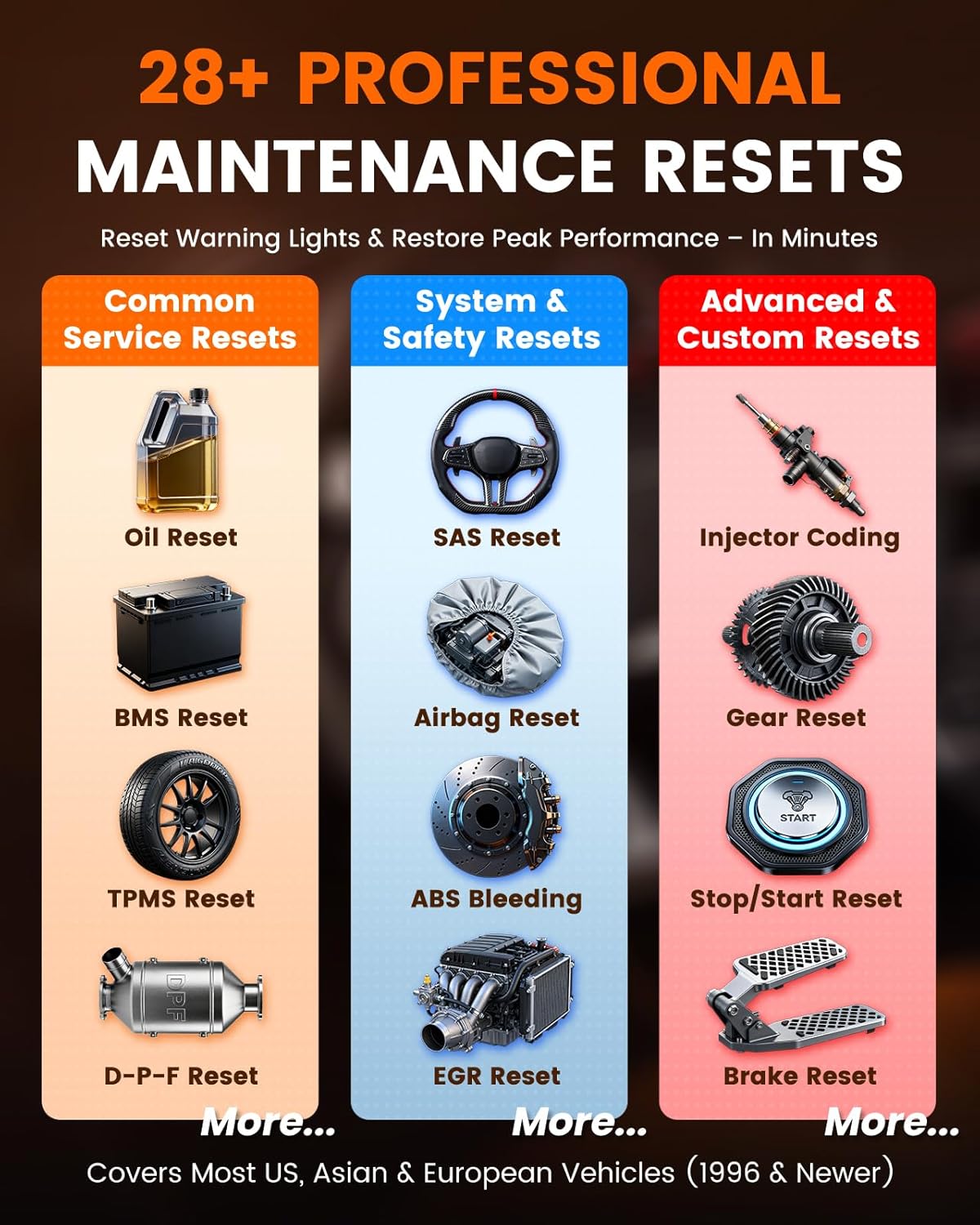
Figure 3.2.2: DS500BT Professional Maintenance Resets
3.2.3. Vollständiger Systemscan
Perform a comprehensive scan of all electronic control units (ECUs) in the vehicle to identify diagnostic trouble codes (DTCs) and view Lebensdaten.
- Codes lesen: Retrieve current, pending, and permanent DTCs.
- Codes löschen: Erase DTCs and turn off warning lights after repairs.
- Lebensdaten: Monitor real-time parameters from various sensors and modules (e.g., engine RPM, coolant temperature, oxygen sensor readings).
- EVAP-Test: Conduct the Evaporative Emission System Leak Test.
- Freeze Frame: View eine Momentaufnahme der Fahrzeugbetriebsbedingungen zum Zeitpunkt des Auftretens des Fehlercodes.
- Fahrzeuginformationen: Fahrzeugidentifikationsnummer (VIN), Kalibrierungs-ID und Kalibrierungsprüfnummer (CVN) abrufen.

Figure 3.2.3: DS500BT Full System Scan Capabilities
3.3. DS500BT Specifications
| Besonderheit | DS500BT |
|---|---|
| Lebenslange kostenlose Updates | Ja |
| Reset Service Functions | 28+ |
| Aktiver Test | Ja |
| FCA AutoAuth | Inklusive |
| CAN-FD Protocol | Inklusive |
| Standby-Zeit | > 8 Tage |
| Verbindungsmethode | 10M BT5.0 |

Figure 3.3.1: DS500BT Feature Advantage at a Glance
4. Fehlerbehebung
If you encounter issues with your ANCEL BM300 Pro or DS500BT, please refer to the following general troubleshooting steps:
- Verbindungsprobleme: Ensure Bluetooth is enabled on your smartphone and the device is within range. For BM300 Pro, verify secure connection to battery terminals. For DS500BT, ensure the OBD2 connector is firmly seated.
- App reagiert nicht: Close and restart the application. If the issue persists, try reinstalling the app.
- Inaccurate Readings (BM300 Pro): Check battery terminal connections for corrosion or looseness. Ensure the battery is fully charged before performing tests for baseline accuracy.
- Scanner Not Communicating (DS500BT): Verify the vehicle's ignition is on. Check the vehicle's OBD2 port for power. Try connecting to a different vehicle if possible to rule out a vehicle-specific issue.
- Software-Updates: Ensure both devices' firmware and the associated apps are updated to the latest versions.
For more specific troubleshooting or persistent issues, please contact ANCEL customer support.
5. Wartung
Proper maintenance ensures the longevity and optimal performance of your ANCEL devices.
- Reinigung: Use a soft, dry cloth to clean the exterior of the devices. Avoid using abrasive cleaners or solvents.
- Lagerung: Bewahren Sie die Geräte bei Nichtgebrauch an einem kühlen, trockenen Ort fern von direkter Sonneneinstrahlung und extremen Temperaturen auf.
- Kabelpflege: Inspect cables and connectors regularly for any signs of damage. Avoid bending or crimping cables excessively.
- Software-Updates: Regularly check for and install software and firmware updates to ensure compatibility and access to new features.
6. Garantie und Support
Informationen zu Produktgarantie, technischem Support oder Service finden Sie auf der offiziellen ANCEL-Website. website or contact their customer service department directly. Details are typically provided with your purchase documentation or on the manufacturer's webWebsite.


