Einführung
The Homedics Drift 11” Sandscape Version 2.0 is a smart Wi-Fi enabled kinetic sand art display designed to promote relaxation and mindfulness. It features a metal sphere that silently carves intricate patterns in sand, accompanied by customizable LED ambient lighting. This compact device is suitable for various spaces, including desks, consoles, and side tables, offering a unique blend of art and technology to enhance your environment.
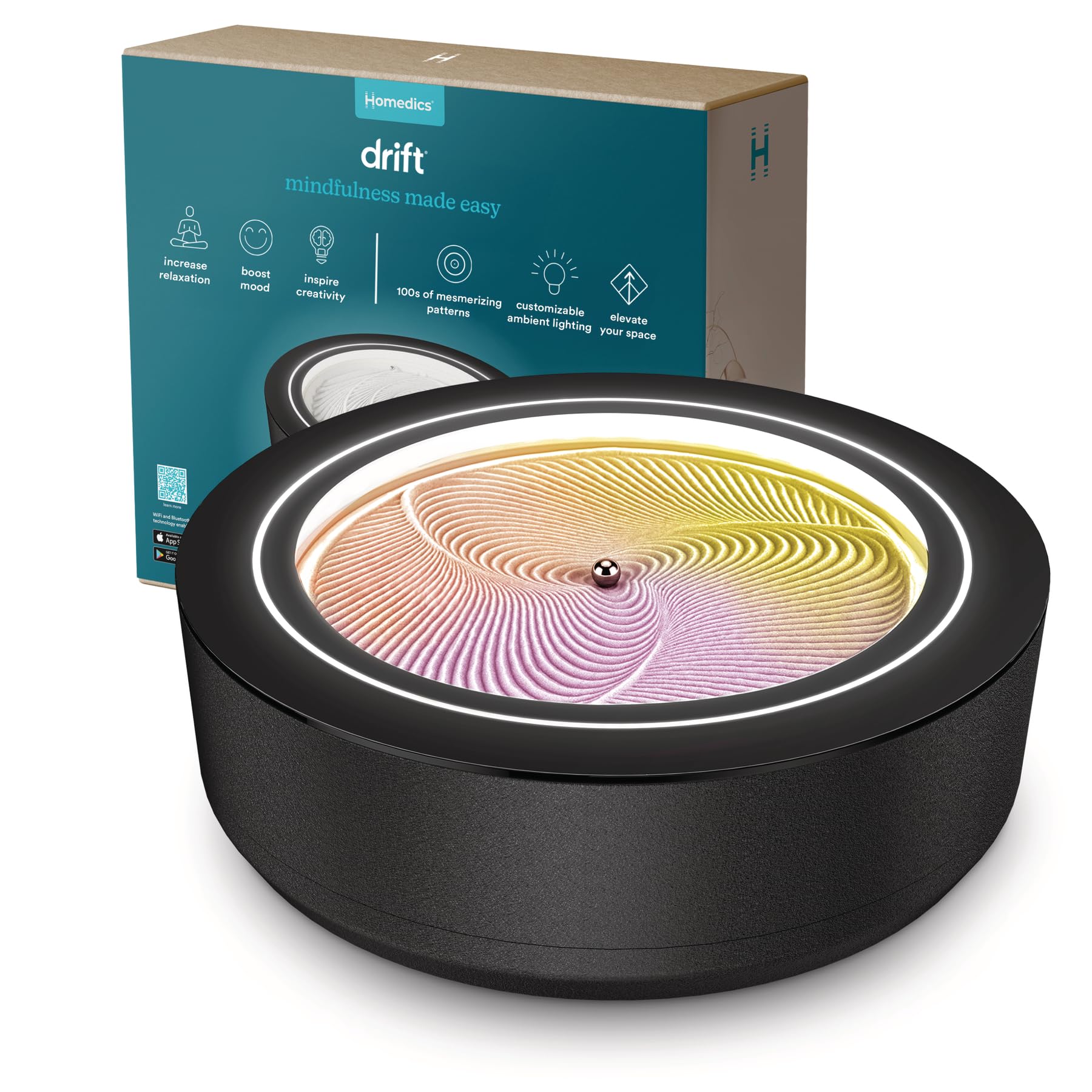
Image: The Homedics Drift 11-inch Sandscape displaying a star pattern in the sand, illuminated by ambient light.
Lieferumfang
Bitte stellen Sie sicher, dass alle folgenden Komponenten in Ihrem Paket enthalten sind:
- 1 Homedics 11” Drift Sandscape unit
- 1 Kurzanleitung
- 1 100g sand pack
- 1 Metallkugel
- 1 Sand Rake Tool
- 1 Power Adapter with Switching Adapter

Image: All included components of the Homedics Drift Sandscape, ready for setup.
Installationsanweisungen
- Komponenten auspacken: Carefully remove all items from the packaging.
- Prepare the Sand Bed: Gently pour the included 100g sand pack onto the circular surface of the Sandscape. Use the provided sand rake tool to spread the sand evenly across the surface.
- Place the Metal Ball: Position the metal ball in the center of the sand bed. A magnet underneath will hold it in place.
- Schließen Sie die Stromversorgung an: Attach the appropriate plug to the power adapter and connect the power adapter to the Sandscape unit. Plug the adapter into a power outlet.
- Laden Sie die App herunter: Download the "Homedics Drift" app from your device's app store (available on iOS and Android).
- Verbindung über WLAN herstellen: Follow the in-app instructions to connect your Sandscape to your home Wi-Fi network. This enables access to patterns, light controls, and other features.

Image: The Homedics Drift app on a smartphone, demonstrating the connected experience for controlling the Sandscape.
Bedienungsanleitung
The Homedics Drift Sandscape is controlled primarily through its dedicated mobile application, offering a range of customization options.
- Ein-/Ausschalten: Use the power button on the device or within the app to turn the Sandscape on or off.
- Muster auswählen: Browse hundreds of mesmerizing patterns within the app. Choose a pattern to initiate the movement of the metal sphere, which will carve the design into the sand.
- Beleuchtung anpassen: The smart LED lights can be individually controlled via the app. Adjust brightness, select from a spectrum of colors, or choose pre-set light programs such as "Sunrise," "Sunset," or "Northern Lights." You can also enable color shifting or breathing effects.
- Geschwindigkeit anpassen: Control the speed at which patterns are drawn using the app's settings.
- Playlists erstellen: Organize your favorite patterns and light settings into custom playlists for continuous, varied displays.
- Audio-Integration: The app may offer ambient sounds or guided meditations to enhance the relaxation experience.
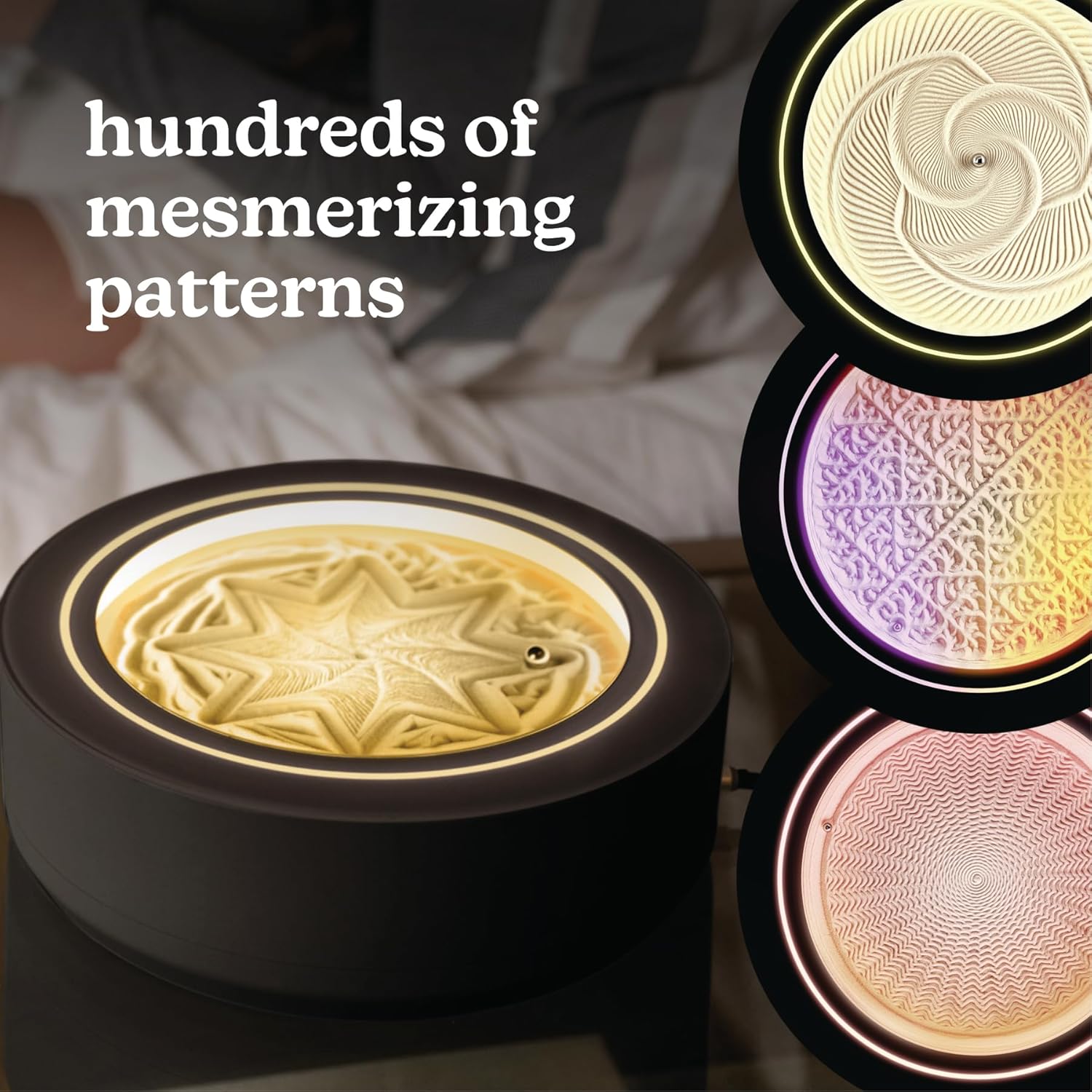

Bilder: Examples of various sand patterns and the smart LED lighting capabilities controlled via the app.
Video: A demonstration of the Homedics Drift Sandscape in action, showcasing its mesmerizing patterns and color-changing lights.
Wartung
- Leichtes Abstauben: Regularly dust the exterior of the Sandscape with a soft, dry cloth.
- Avoid Direct Sunlight and Moisture: Place the unit away from direct sunlight and areas with high humidity to prevent damage to the sand and internal components.
- Sand Care: Use the included sand rake tool to occasionally clean and re-level the sand.
- Reinigung: Avoid using water or abrasive cleaners on the metal sphere and the base of the unit.
Fehlerbehebung
- Gerät reagiert nicht: Ensure the power adapter is securely plugged into both the unit and a working power outlet. Check the app connection.
- Patterns Not Forming Correctly: Verify that the sand is evenly spread and the metal ball is properly centered. If the sand is clumpy, gently rake it to redistribute.
- App-Verbindungsprobleme: Ensure your mobile device's Wi-Fi is enabled and connected to the same network as the Sandscape. Restart the app or the Sandscape unit if connection problems persist.
- Ungewöhnliche Geräusche: The WhisperLite microbeads are designed for quiet operation. If unusual noises occur, ensure the unit is on a stable, level surface and that no foreign objects are obstructing the ball's movement.
Technische Daten
| Besonderheit | Detail |
|---|---|
| Farbe | Schwarz |
| Marke | Homedics |
| Thema | Heimdekoration |
| Material | Metall |
| Stil | Modern |
| Technische Daten | 3.42"T x 11"B x 11"H |
| Empfohlene Verwendung für das Produkt | Heim |
| Montagetyp | Tischplatte |
| Ausführung | Matt |
| Im Lieferumfang enthaltene Komponenten | Quick-Start Guide, 100g sand pack, Metal Ball, Sand Rake Tool, Power Adapter with Switching Adapter |
| Hinweise zur Produktpflege | Light Dusting, Avoid direct sunlight and moisture, Use the included sand rake tool to occasionally clean the sand, Avoid using water or abrasive cleaners on the metal sphere and base. |
| Größe | 11 Inch (Small) |
| UPC | 031262120335 |
| Anzahl der Artikel | 1 |
| Artikelmodellnummer | ST-200-BK-AMZ |
| ASIN | B0FZXHBLCY |
| Artikelgewicht | 8.2 Pfund |
| Hersteller | Homedics |
| Datum der ersten Verfügbarkeit | 5. November 2025 |
Garantie und Support
For detailed warranty information and customer support, please refer to the official Homedics website or contact their customer service directly. The Quick-Start Guide included with your product may also contain specific warranty details and contact information.
Besuchen Sie die Homedics Store on Amazon Für weitere Produkte und Informationen.


