1. Einleitung
The ATK Dragonfly A9 Air is a high-performance wireless gaming mouse designed for speed, precision, and ergonomic control. Engineered with an ultra-lightweight build and advanced sensor technology, it provides reliable tracking and responsive performance for competitive gaming. This manual provides essential information for setting up, operating, and maintaining your ATK Dragonfly A9 Air mouse.
2. Packungsinhalt
Bitte überprüfen Sie, ob alle Artikel in Ihrem Paket vorhanden sind:
- ATK Dragonfly A9 Air Wireless Gaming Mouse
- USB-C-auf-USB-A-Lade-/Datenkabel
- 2.4-GHz-Funkempfänger (USB-Dongle)
- Bedienungsanleitung
- Grip Tape (optional application)
Video: Unboxing the ATK R1 Gaming Mouse. This video demonstrates the typical unboxing experience and contents for ATK gaming mice, including the mouse, cable, and accessories.
3. Einrichtung
3.1 Erstaufladung
Before first use, it is recommended to fully charge the mouse. Connect the provided USB-C cable to the mouse and the USB-A end to a powered USB port on your computer or a USB wall adapter. The mouse features a long-lasting battery life of up to 300 hours at 1000Hz polling rate.
3.2 Drahtlose Verbindung (2.4 GHz)
- Locate the 2.4G wireless receiver (USB dongle) in the package.
- Stecken Sie den USB-Dongle in einen freien USB-A-Anschluss Ihres Computers.
- Schalten Sie die Maus mit dem Netzschalter an der Unterseite der Maus ein.
- Die Maus sollte sich automatisch mit dem Empfänger verbinden. Falls nicht, lesen Sie bitte den Abschnitt zur Fehlerbehebung.
3.3 Kabelverbindung
You can also use the mouse in wired mode. Connect the USB-C cable to the mouse and the USB-A end to your computer. The mouse will function as a wired mouse and charge simultaneously.

Image: The ATK Dragonfly A9 Air mouse connected to a computer via its USB-C cable, illustrating wired mode and charging.
4. Bedienung der Maus
4.1 Tasten und Bedienelemente
The ATK Dragonfly A9 Air features standard mouse buttons and additional programmable buttons for enhanced gaming control:
- Linksklick-Taste: Primäre Maßnahme.
- Rechtsklick-Schaltfläche: Sekundäres Aktions-/Kontextmenü.
- Scrollrad: Scroll up/down, middle click button. The scroll wheel features optimized placement for natural handling.
- Seitentasten: Typically used for forward/back navigation or programmable in gaming software.
- DPI-Taste: (If present) Cycles through preset DPI settings.
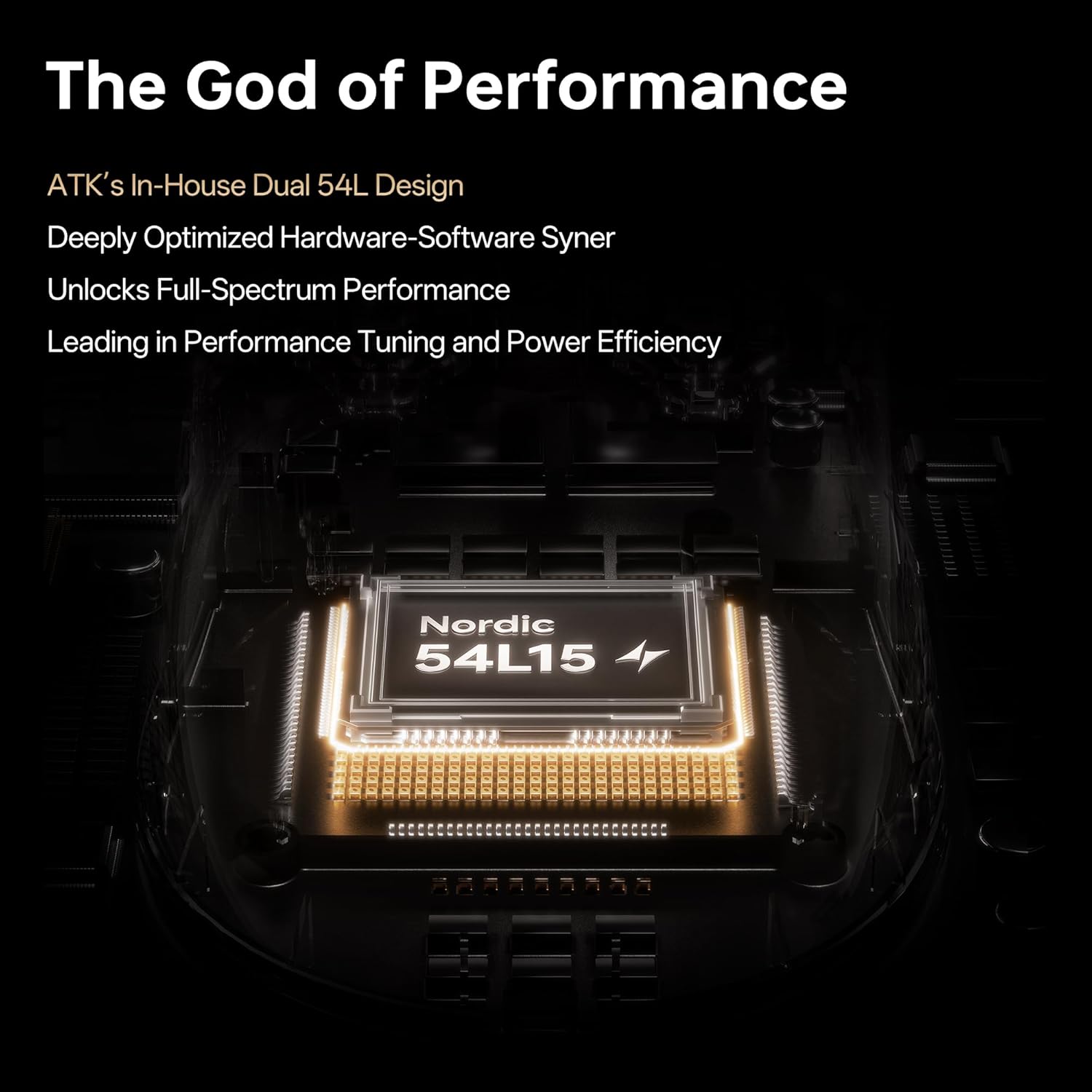
Bild: Oben view of the ATK Dragonfly A9 Air mouse, highlighting the main buttons and scroll wheel.
4.2 Anpassung der Wahlbeteiligung
The mouse supports 8000Hz polling rate for smoother cursor response and reduced input latency. This can be adjusted between 1KHz and 8KHz via USB-C and 2.4G connections, typically through the ATK software.

Image: Illustration of the ATK GEAR dongles, emphasizing the dual 8000Hz wired/wireless capability of the mouse.
4.3 Ergonomie und Leichtbauweise
The A9 Air is engineered with a 47g ultra-lightweight shell, enhancing agility and precision during competitive esports. Its ergonomic shape is designed for comfort across various grip styles, including claw and fingertip grips, with textured side panels for improved control.

Bild: Eine explodierte view of the ATK A9 Air mouse, demonstrating its lightweight construction and comparing its 47g weight to other models in the A9 series.
Video: A promotional video for the ATK Dragonfly A9 Gaming Mouse, showcasing sein Design und seine Funktionen.
5. Wartung
Proper maintenance ensures the longevity and optimal performance of your ATK Dragonfly A9 Air mouse.
- Reinigung: Wischen Sie die Mausoberfläche mit einem weichen, trockenen Tuch ab. Bei hartnäckigem Schmutz leicht andrücken.ampBefeuchten Sie das Tuch mit Wasser oder einer milden Reinigungslösung. Vermeiden Sie scharfe Chemikalien oder scheuernde Materialien.
- Sensorpflege: Um eine genaue Abtastung zu gewährleisten, muss der optische Sensor an der Unterseite der Maus sauber und frei von Staub und Schmutz sein.
- Batteriepflege: To maximize battery life, avoid fully discharging the mouse frequently. Charge it when the battery indicator suggests it. Store the mouse in a cool, dry place when not in use for extended periods.
6. Fehlerbehebung
If you encounter issues with your ATK Dragonfly A9 Air mouse, try the following solutions:
- Maus reagiert nicht:
- Stellen Sie sicher, dass die Maus eingeschaltet ist.
- Prüfen Sie den Akkustand und laden Sie den Akku gegebenenfalls auf.
- For wireless mode, ensure the USB dongle is securely plugged into a working USB port. Try a different USB port.
- For wired mode, ensure the USB-C cable is securely connected to both the mouse and the computer. Try a different USB port or cable.
- Starten Sie Ihren Computer neu.
- Inconsistent Tracking/Lag:
- Reinigen Sie den optischen Sensor an der Unterseite der Maus.
- Stellen Sie sicher, dass Sie die Maus auf einer geeigneten Oberfläche (z. B. einem Mauspad) verwenden.
- Reduce wireless interference by moving the mouse closer to the USB dongle or moving other wireless devices away.
- Update mouse drivers or firmware from the official ATK webWebsite.
- Tasten funktionieren nicht:
- Prüfen Sie, ob physische Hindernisse vorhanden sind.
- Test the buttons with different applications or on another computer.
- If using ATK software, ensure button assignments are correct.
7. Spezifikationen
Detailed technical specifications for the ATK Dragonfly A9 Air Wireless Gaming Mouse:
| Marke | ANG |
| Modellnummer | ATK Libelle A9 |
| Artikelgewicht | 1.66 Unzen (47 g) |
| Sensor | PAW3950 Ultra Optical Sensor |
| MCU | Nordic 54L15 MCU |
| Abfragerate | 8K wireless / 8K wired (adjustable 1K-8K) |
| Konnektivitätstechnologie | 2.4G Wireless, USB-C Wired |
| Akkulaufzeit | Up to 300 hours (at 1000Hz polling rate) |
| Besondere Merkmale | Ultra-Lightweight, Programmable Buttons, Rechargeable, PTFE Feet |
| Abmessungen (L x B x H) | 125 x 63.5 x 40 mm |

Image: Internal components and key technologies of the ATK Dragonfly A9 mouse, highlighting the Nordic 54L15 MCU and PAW3950 Ultra Sensor.
8. Garantie und Support
ATK products are designed for performance and durability. This product is covered by a standard return policy of 30 days from the date of purchase. For specific warranty details, technical support, or further assistance, please refer to the official ATK website or contact ATK customer service.
ATK is committed to providing esports-level performance with durable materials and precision engineering. For frequently asked questions, you may visit the ATK official flagship store on Amazon or the ATK brand webWebsite.
Online-Ressourcen:
- ATK Official Store: Visit the ATK Store


