Einführung
Thank you for choosing the Lefant M210 Robot Vacuum Cleaner. This manual provides essential information for the safe operation, maintenance, and troubleshooting of your device. Please read it thoroughly before use and keep it for future reference.

Image: The Lefant M210 Robot Vacuum Cleaner, showcasing dank seines kompakten Designs.
Wichtige Sicherheitshinweise
Beachten Sie beim Umgang mit Elektrogeräten stets die grundlegenden Sicherheitsvorkehrungen, um das Risiko von Bränden, Stromschlägen oder Verletzungen zu verringern. Dazu gehört:
- Lesen Sie vor der Verwendung des Geräts alle Anweisungen.
- Do not operate the vacuum cleaner in areas with flammable or combustible materials.
- Halten Sie Haare, lose Kleidung, Finger und alle Körperteile von Öffnungen und beweglichen Teilen fern.
- Heben Sie keine brennenden oder rauchenden Gegenstände auf, z. B. Zigaretten, Streichhölzer oder heiße Asche.
- Stellen Sie sicher, dass die Ladestation an einer Wand auf einer ebenen Fläche steht.
- Only use the original power adapter and charging dock provided by the manufacturer.
Packungsinhalt
Überprüfen Sie, ob alle Komponenten im Paket vorhanden sind:
- Lefant M210 Roboter-Staubsauger
- Ladestation
- Netzteil
- Seitenbürsten (2 Paar)
- Hochleistungsfilter
- Reinigungswerkzeug
- Bedienungsanleitung
Aufstellen
1. Prepare the Robot
- Remove all protective films and stickers from the robot and charging dock.
- Die Seitenbürsten werden befestigt, indem man sie auf die Stifte drückt, bis sie einrasten.
2. Place the Charging Dock
- Platzieren Sie die Ladestation an einer Wand in einem offenen, aufgeräumten Bereich.
- Ensure there is at least 0.5 meters (1.6 feet) of clear space on either side of the dock and 1.5 meters (4.9 feet) in front.
- Schließen Sie den Netzadapter an die Ladestation an und stecken Sie ihn in eine Steckdose.
3. Laden Sie den Roboter auf
Place the robot onto the charging dock, ensuring the charging contacts align. The indicator light on the robot will show charging status. Fully charge the robot before first use (approximately 4-5 hours).
4. Connect to the Lefant App
- Laden Sie die "Lefant"-App aus dem App Store oder von Google Play herunter.
- Register an account and follow the in-app instructions to connect your M210 robot vacuum cleaner to your home Wi-Fi network.
Bedienungsanleitung
Starten und Beenden der Reinigung
- Start: Press the power button on the robot or use the Lefant app to start a cleaning cycle.
- Pause: Drücken Sie den Netzschalter erneut, um die Reinigung zu unterbrechen.
- Zurück zum Dock: Drücken Sie die Home-Taste am Roboter oder verwenden Sie die App, um den Roboter zurück zur Ladestation zu schicken.
Reinigungsmodi
Der Lefant M210 bietet verschiedene Reinigungsmodi für unterschiedliche Bedürfnisse:

Image: Illustration of the Lefant M210's various cleaning modes, including Random, Zigzag, Edge, and Spot cleaning.
- Automatische Reinigung: The robot automatically cleans in a zigzag pattern, adjusting to the environment.
- Fleckenreinigung: Konzentriert sich auf einen bestimmten verschmutzten Bereich und reinigt in spiralförmigen Bewegungen.
- Kantenreinigung: Reinigt entlang von Wänden und Möbelkanten.
- Geplante Reinigung: Set cleaning times via the Lefant app.
Effizienter Reinigungspfad

Image: The Lefant M210 utilizes an effective zigzag route for thorough and intelligent cleaning, avoiding random patterns.
Tierhaarreinigung
The Lefant M210 is designed to effectively pick up pet hair, making it suitable for homes with pets. Its powerful suction and brush design help manage pet dander and fur.

Image: The Lefant M210 Robot Vacuum Cleaner effectively collects pet hair, as demonstrated in a home setting with a dog and child.
FreeMove-Technologie 3.0
The M210 is equipped with updated FreeMove Technology 3.0, which helps the robot navigate around obstacles and avoid getting stuck, ensuring a smooth cleaning process.
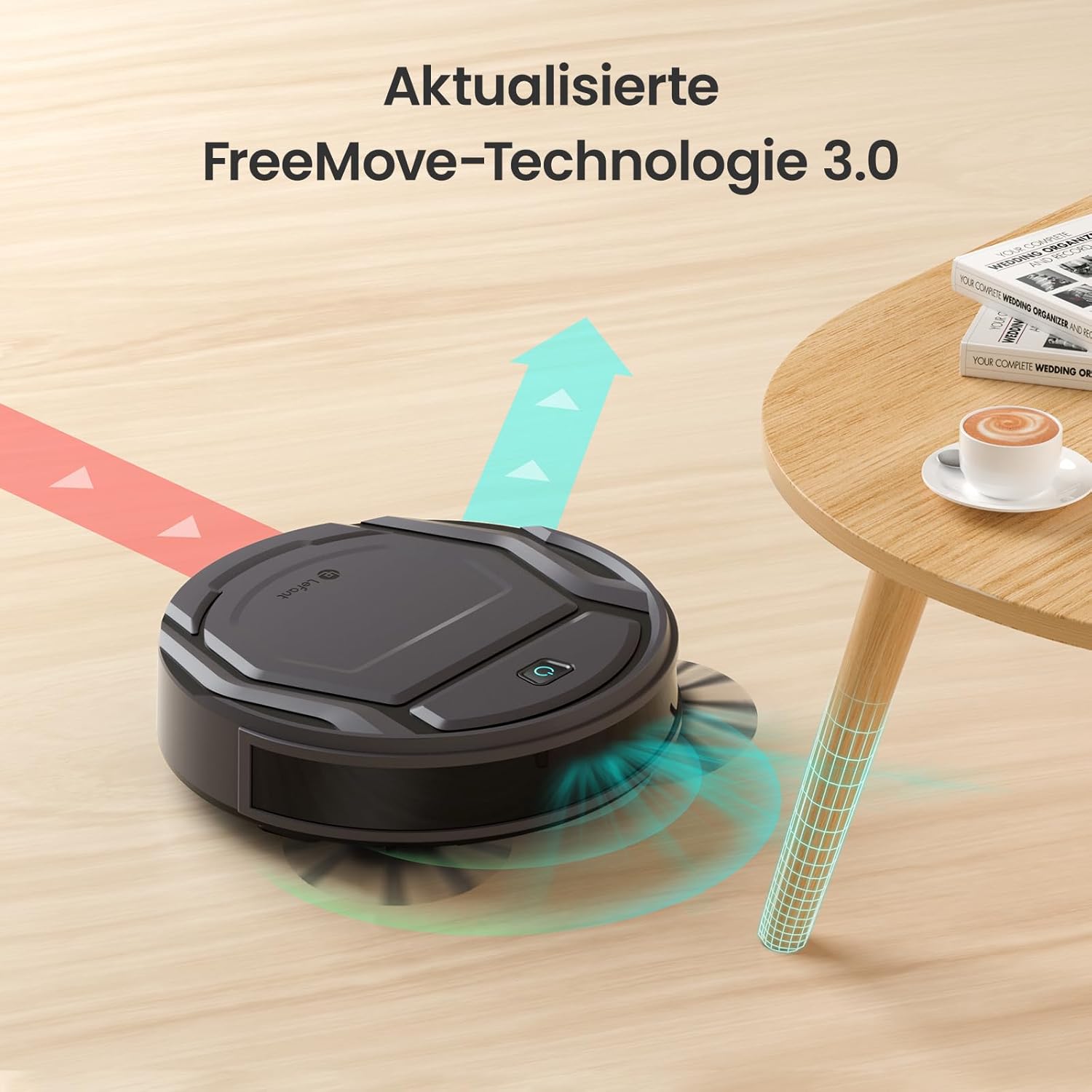
Image: The Lefant M210 demonstrating its updated FreeMove Technology 3.0 for enhanced navigation and obstacle avoidance.
Sprachsteuerung
The Lefant M210 supports voice control through Amazon Alexa and Google Home. Connect your robot to these services via the Lefant app for convenient hands-free operation.

Image: The Lefant M210 integrates with Amazon Alexa and Google Home for intelligent voice control, allowing users to start cleaning with simple commands.
Wartung
Regular maintenance ensures optimal performance of your Lefant M210. Always turn off the robot and disconnect it from the charging dock before performing any maintenance.
1. Emptying the Dustbin (After each use)
- Drücken Sie den Entriegelungsknopf für den Abfalleimer und ziehen Sie den Abfalleimer heraus.
- Öffnen Sie den Deckel des Abfalleimers und leeren Sie den Inhalt in einen Mülleimer.
- Clean the filter with the provided cleaning tool or tap it gently to remove debris. Do not wash the filter with water.
- Reinsert the filter and close the dustbin cover. Place the dustbin back into the robot.
2. Cleaning the Side Brushes (Weekly or as needed)
- Die Seitenbürsten vorsichtig nach oben ziehen, um sie zu entfernen.
- Entfernen Sie alle Haare oder Ablagerungen, die sich um die Bürsten oder die Bürstenstöcke gewickelt haben.
- Bringen Sie die Bürsten wieder an und achten Sie darauf, dass sie hörbar einrasten.
3. Cleaning the Sensors and Charging Contacts (Monthly or as needed)
- Use a clean, dry cloth to wipe the anti-drop sensors on the bottom of the robot.
- Clean the charging contacts on both the robot and the charging dock.

Image: The Lefant M210 features a design optimized for easy maintenance, reducing hair tangles compared to traditional robot vacuum designs.
Fehlerbehebung
If your robot vacuum cleaner encounters issues, refer to the following common problems and solutions:
| Problem | Mögliche Ursache | Lösung |
|---|---|---|
| Roboter lässt sich nicht einschalten. | Niedriger Akkustand oder nicht geladen. | Stellen Sie den Roboter auf die Ladestation und vergewissern Sie sich, dass er vollständig aufgeladen ist. |
| Der Roboter kann nicht zur Ladestation zurückkehren. | Charging dock is obstructed or too far. | Ensure the charging dock is in an open area and free from obstacles. Manually place the robot on the dock if needed. |
| Die Reinigungsleistung ist mangelhaft. | Dustbin full, filter clogged, or brushes tangled. | Empty the dustbin, clean or replace the filter, and clean the side brushes. |
| Der Roboter bleibt häufig stecken. | Too many obstacles or uneven surfaces. | Clear the cleaning area of loose cables, small objects, and thick rugs. |
| Probleme mit der App-Verbindung. | Incorrect Wi-Fi password, router issues, or robot not in pairing mode. | Ensure correct Wi-Fi credentials. Restart your router and the robot. Follow app instructions for pairing mode. |
Technische Daten
| Besonderheit | Detail |
|---|---|
| Marke | Lefant |
| Modellname | M210 |
| Modellnummer | M210P |
| Farbe | Schwarz |
| Produktabmessungen (L x B x H) | 28 x 8 x 28 cm (11 x 3.1 x 11 Zoll) |
| Artikelgewicht | 3.14 kg |
| Fassungsvermögen des Staubbehälters | 500 Liter (Note: This capacity is unusually large for a robot vacuum dustbin and may refer to a different metric or be a typo in the source data.) |
| Bandtage | 220 Volt |
| Material | Plastik |
| Besonderheit | Kollisionsschutz |
| Oberflächenempfehlung | Teppichboden, Hartböden |
| Controllertyp | App-Steuerung |
| Batteriezusammensetzung | Lithium-Ionen |
| Laufzeit | Bis zu 120 Minuten |
| Geräuschpegel | 55 dB |

Image: The Lefant M210 offers a long runtime of up to 120 minutes on a single charge, capable of cleaning up to 120 square meters.
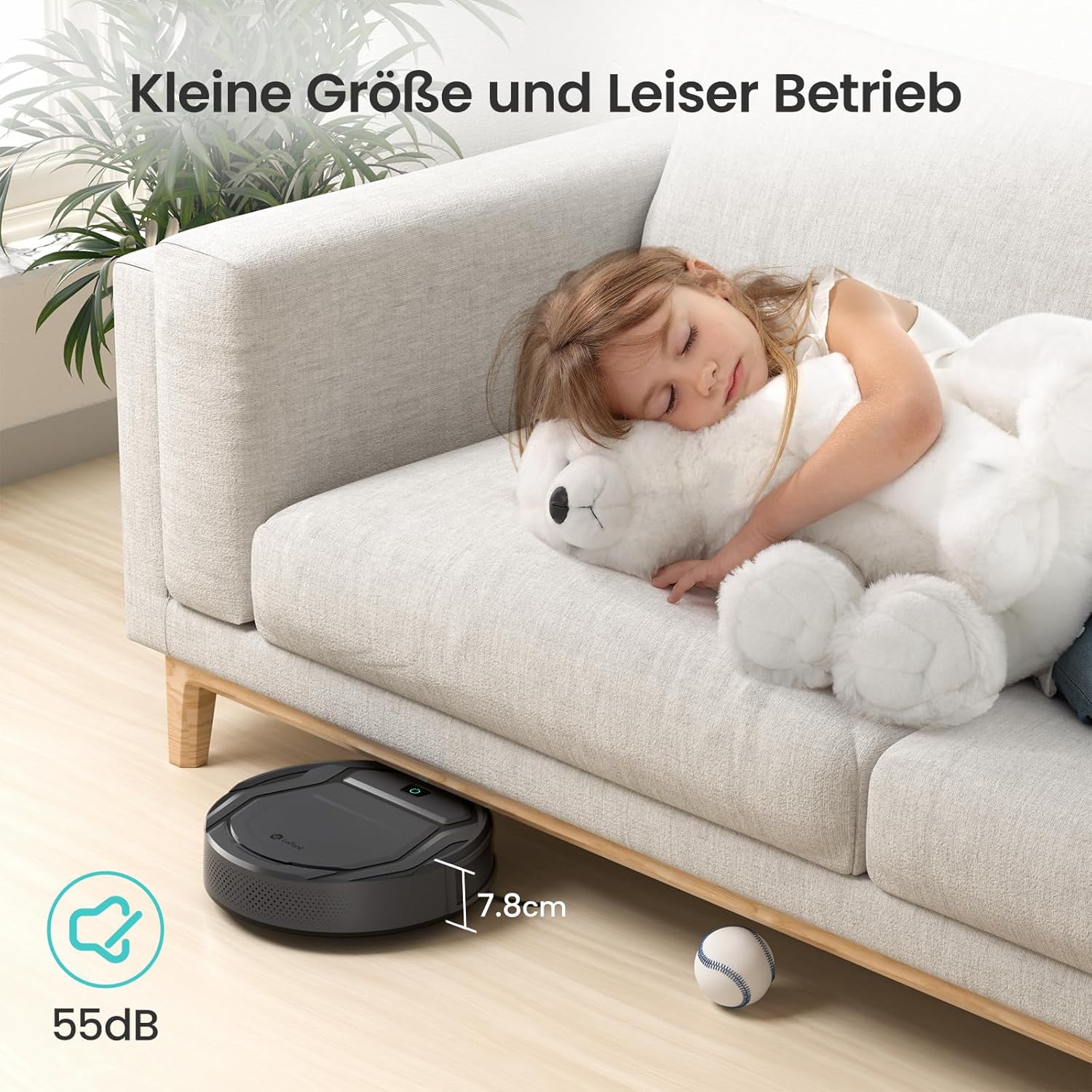
Image: The Lefant M210's compact size (7.8cm height) allows it to clean under furniture, and its quiet operation at 55dB ensures minimal disturbance.
Garantie und Support
For warranty information, technical support, or service inquiries, please refer to the official Lefant webBesuchen Sie die Website oder kontaktieren Sie direkt den Kundenservice. Bewahren Sie Ihren Kaufbeleg als Kaufnachweis auf.
Linker Offizieller WebWebsite: www.lefant.com


