1. Einrichtung
1.1 Packungsinhalt
Überprüfen Sie, ob alle Komponenten im Paket vorhanden sind:
- MCHOSE A7 V2 Ultra+ Wireless Gaming Mouse
- Magnetische Ladestation
- USB-C zu USB-A Ladekabel
- 2.4 GHz USB-Empfänger
- Benutzerhandbuch (dieses Dokument)
- Grip Tapes (optional)
1.2 Erstaufladung
Before first use, it is recommended to fully charge the mouse. Connect the USB-C end of the charging cable to the mouse and the USB-A end to a power source (e.g., computer USB port, USB wall adapter). Alternatively, place the mouse on the magnetic charging dock connected to a power source.
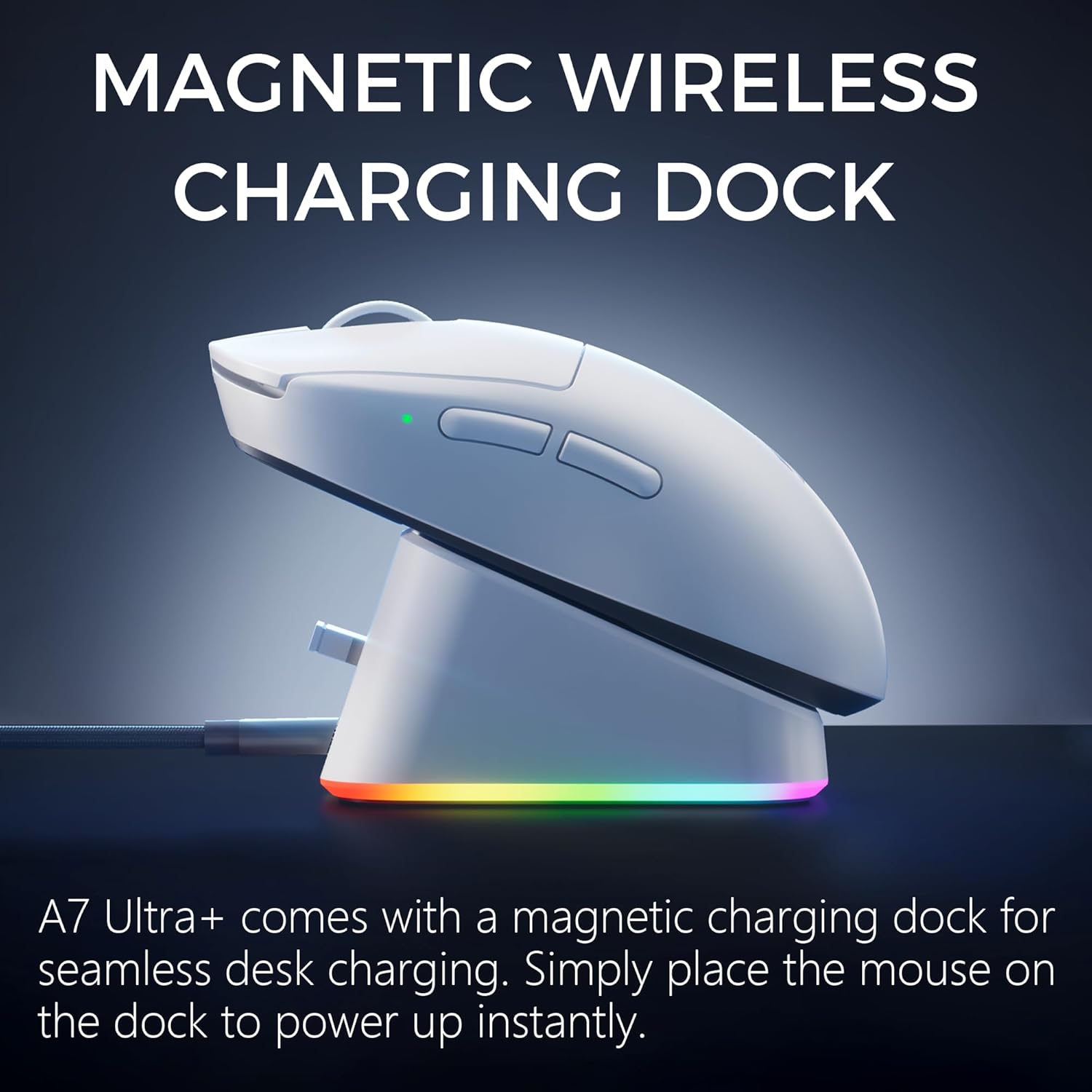
Figure 1: MCHOSE A7 V2 Ultra+ mouse on its magnetic charging dock. The dock features RGB ambient lighting and a 2.4G receiver port.
1.3 Anschließen der Maus
The MCHOSE A7 V2 Ultra+ supports three connection modes: 2.4GHz wireless, Bluetooth, and wired USB-C.
1.3.1 2.4-GHz-Funkverbindung
- Locate the 2.4GHz USB receiver. It is typically stored in a compartment on the underside of the mouse or within the charging dock.
- Stecken Sie den USB-Empfänger in einen freien USB-A-Anschluss Ihres Computers.
- Turn on the mouse using the switch on its underside and select the '2.4G' mode. The mouse should automatically connect to the receiver.
1.3.2 Bluetooth-Verbindung
- Turn on the mouse using the switch on its underside and select the 'BT' (Bluetooth) mode.
- Öffnen Sie auf Ihrem Computer oder Gerät die Bluetooth-Einstellungen und aktivieren Sie Bluetooth.
- Suchen nach new devices and select 'MCHOSE A7 V2 Ultra+' from the list to pair.
1.3.3 Kabelverbindung
Connect the mouse directly to your computer using the provided USB-C to USB-A cable. The mouse will function in wired mode and charge simultaneously.
2. Bedienung der Maus
2.1 DPI-Anpassung
The MCHOSE A7 V2 Ultra+ is equipped with a PAW3950 TI optical sensor, offering up to 42,000 DPI for precise tracking. DPI settings can be adjusted using the dedicated DPI button on the mouse or through the custom software.
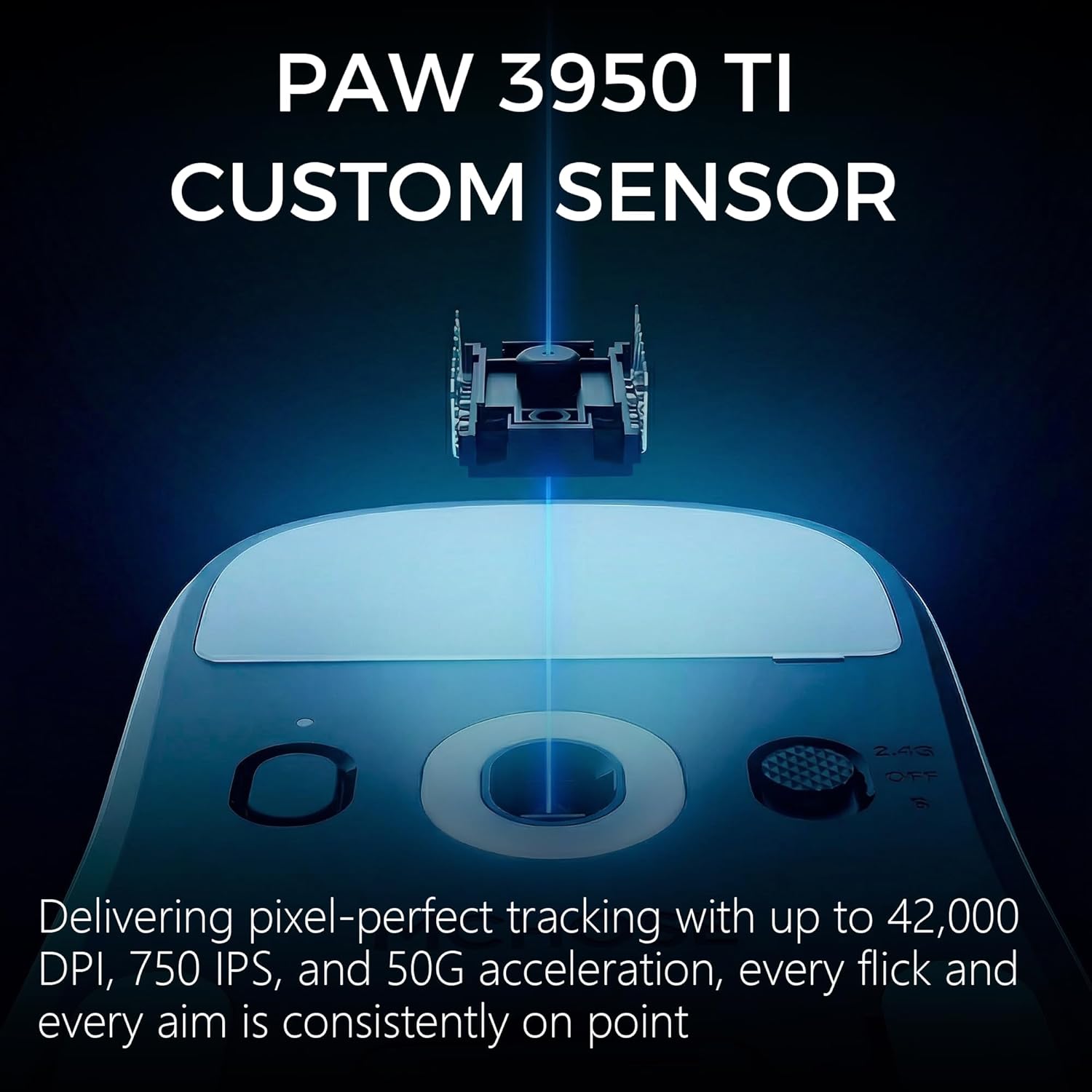
Figure 2: The PAW3950 TI custom optical sensor provides pixel-perfect tracking up to 42,000 DPI.
2.2 Umfragequote
Experience lightning-fast response times with a dual 8000Hz polling rate, ensuring flawless wireless performance.

Figure 3: Topspeed wireless performance for stable, lag-free gaming and creation.
2.3 Programmable Buttons and Custom Software
The mouse features programmable buttons and onboard memory. Utilize the M-HUB custom software to store personalized settings for buttons, DPI adjustments, polling rates, and gaming modes. The software also unlocks advanced functions like waveform control and angle snapping.

Figure 4: M-HUB software allows customization of buttons, DPI, polling rates, and gaming modes.
2.4 Ergonomie und Design
Weighing just 59g, the A7 V2 Ultra+ is ultra-lightweight with a centered gravity design for stable grip and efficient handling. Its ambidextrous shape supports various grip styles, including palm and claw grip.
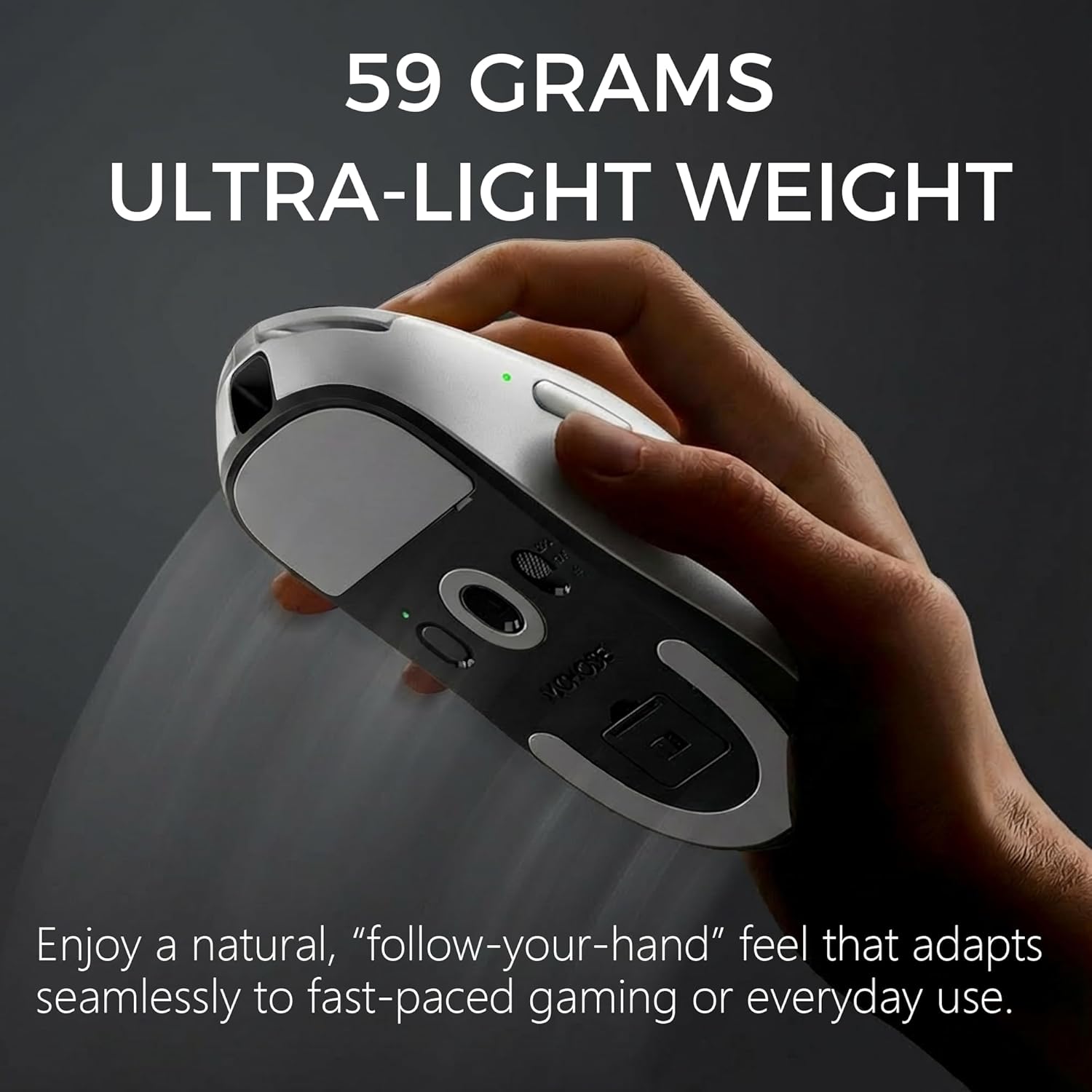
Figure 5: The 59-gram ultra-lightweight design provides a natural, comfortable feel for extended use.

Figure 6: The refined click structure is co-developed for consistent, precise, and snappy clicks with minimal fatigue.
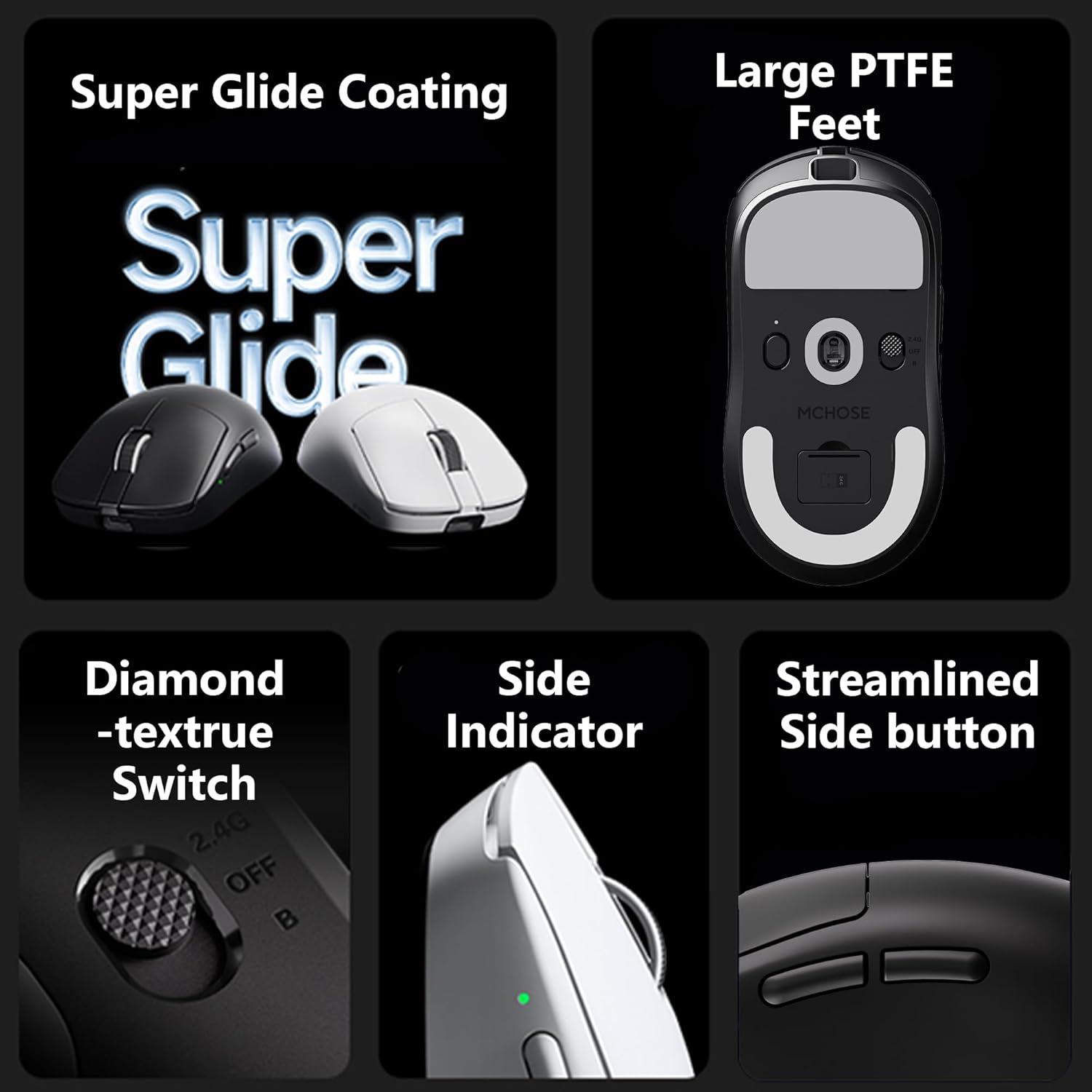
Figure 7: Additional features include Super Glide Coating, Large PTFE Feet, Diamond-texture Switch, Side Indicator, and Streamlined Side Buttons.
2.5 General MCHOSE Mouse Overview (Video)
Video 1: Ein allgemeiner Überblickview of MCHOSE M7 Series mice, showcasing features like lightweight design, tri-mode connectivity, symmetrical design, various grip styles, optical microswitches, and a smooth surface coating. While this video highlights the M7 series, many features are common across MCHOSE gaming mice.
3. Wartung
3.1 Laden
The mouse offers over 130 hours of uninterrupted gameplay on a single charge. Recharge the mouse by placing it on the magnetic charging dock or by connecting it directly via the USB-C cable. The mouse features an indicator light to show charging status.
3.2 Reinigung
To maintain optimal performance, regularly clean the mouse. Use a soft, dry cloth to wipe the surface. For the optical sensor, use a cotton swab lightly dampened with isopropyl alcohol, ensuring no liquid enters the mouse's internal components.
3.3 Softwareaktualisierungen
Periodically check the MCHOSE official website for updates to the M-HUB custom software. Keeping the software updated ensures access to the latest features and performance optimizations.
4. Fehlerbehebung
4.1 Verbindungsprobleme
- 2.4 GHz Wireless: Ensure the USB receiver is securely plugged into a working USB port and the mouse is switched to '2.4G' mode. Try a different USB port.
- Bluetooth: Verify Bluetooth is enabled on your device and the mouse is in 'BT' mode. Remove any previous pairings and attempt to re-pair the device.
- Verdrahtet: Check the USB-C cable connection at both ends. Try a different USB-C cable or USB port.
4.2 Tracking-Probleme
- Reinigen Sie den optischen Sensor an der Unterseite der Maus.
- Stellen Sie sicher, dass Sie die Maus auf einer geeigneten Oberfläche (z. B. einem Mauspad) verwenden.
- Adjust DPI settings via the mouse button or custom software.
4.3 Maus reagiert nicht
- Check battery level and charge the mouse if necessary.
- Toggle the power switch off and on.
- If using wireless, try connecting via wired mode to rule out wireless interference.
5. Spezifikationen
| Marke | MCHOSE |
| Modell | A7 V2 Ultra+ |
| Farbe | WEISS |
| Konnektivitätstechnologie | 2.4GHz, Bluetooth, USB (Tri-Mode) |
| Bewegungserkennungstechnologie | Optical (PAW3950 TI Sensor) |
| Max. DPI | 42,000 DPI |
| Abfragerate | Dual 8000Hz |
| Artikelgewicht | 59 g (2.12 Unzen) |
| Besondere Merkmale | Lightweight, Wireless, Magnetic Charging Dock, Custom Software |
| Batterie | 1 A battery (included), up to 130 hours of use |
6. Garantie und Support
6.1 Garantieinformationen
For specific warranty details and terms, please refer to the product warranty certificate included in your package or visit the official MCHOSE webBewahren Sie Ihren Kaufbeleg für Garantieansprüche auf.
6.2 Kundendienst
If you encounter any issues not covered in this manual or require further assistance, please contact MCHOSE customer support through their official webWebsite oder die in Ihrer Produktdokumentation angegebenen Kontaktinformationen.


