Einführung
The LOFREE Pudding Dual Mode Wireless Mouse (Model OE929) is designed for versatile use across various operating systems and devices. It offers both Bluetooth and 2.4G wireless connectivity, adjustable DPI settings, and a comfortable, ergonomic design. This manual provides instructions for setup, operation, maintenance, and troubleshooting to ensure optimal performance of your device.
Packungsinhalt
- LOFREE Pudding Dual Mode Wireless Mouse
- USB-Empfänger (2.4 G)
- Charging Cable (USB-C to USB-A, typically)
- Bedienungsanleitung
Produkt überview
The LOFREE Pudding mouse features a unique transparent texture and an ergonomic design for comfortable use. It includes an adjustable ambient light feature and a scroll wheel with integrated button functionality.

Bild: The LOFREE Pudding mouse showcasing its high transparency texture and sleek design.

Bild: A hand holding the LOFREE Pudding mouse, illustrating its comfortable, skin-like touch and ergonomic grip.
Aufstellen
1. Aufladen der Maus
Before first use, ensure the mouse is fully charged. Connect the provided charging cable to the mouse's charging port and to a USB power source. The ambient light may indicate charging status (e.g., breathing light while charging, solid when full).

Bild: The LOFREE Pudding mouse, highlighting its approximately 100 hours of battery life on a single charge.
2. Dual-Mode-Verbindung
The mouse supports two wireless connection methods: 2.4G via USB receiver and Bluetooth.
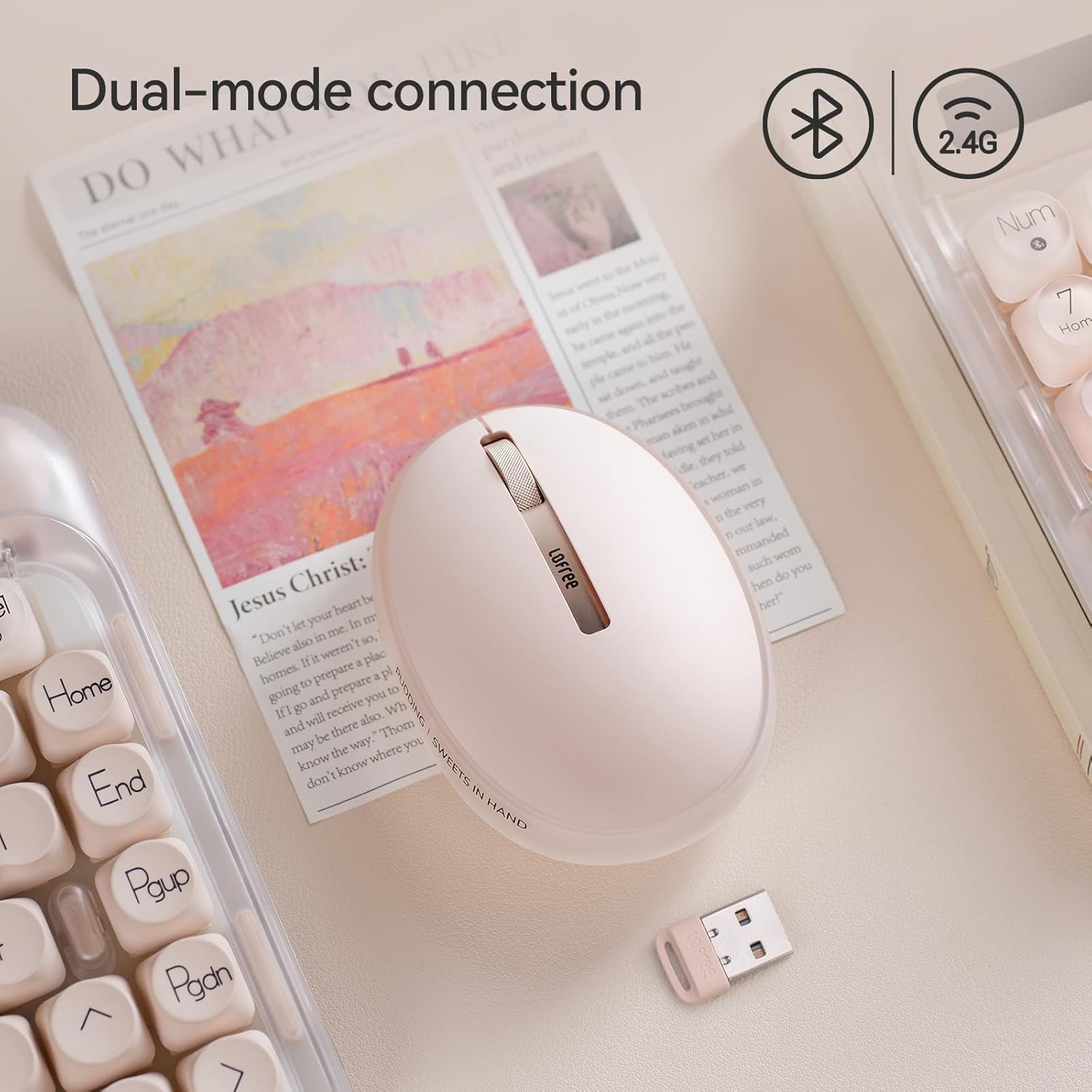
Bild: The LOFREE Pudding mouse demonstrating its dual-mode connection capability, supporting both Bluetooth and 2.4G wireless technologies.
2.1. 2.4 G Wireless-Verbindung
- Locate the USB receiver, typically stored in a compartment on the mouse or in the packaging.
- Stecken Sie den USB-Empfänger in einen freien USB-Port Ihres Computers.
- Turn on the mouse. The computer should automatically detect and install the necessary drivers.
- Notiz: For systems below Windows 7, the 2.4G connection is recommended as Bluetooth mode may not be supported.
2.2. Bluetooth-Verbindung
- Stellen Sie sicher, dass Bluetooth auf Ihrem Gerät aktiviert ist.
- Switch the mouse to Bluetooth mode (refer to the mouse's bottom switch or button for mode selection).
- On your device, search for Bluetooth devices. The mouse should appear as "LOFREE Pudding Mouse" or similar.
- Wählen Sie die zu koppelnde Maus aus. Folgen Sie den Anweisungen auf dem Bildschirm, um den Kopplungsvorgang abzuschließen.
3. Kompatibilität
The LOFREE Pudding mouse is compatible with a wide range of operating systems and devices, including:
- Windows (Windows 7 and above for Bluetooth)
- macOS
- iOS
- Android
- PC, Mac, Laptop, and other compatible devices.
Bedienungsanleitung
1. DPI-Stufen anpassen
The mouse features 5 adjustable DPI levels to suit different tasks and preferences. You can cycle through these settings by pressing the DPI button, usually located near the scroll wheel or on the bottom of the mouse.
- Available DPI settings: 600, 800, 1200, 1600, 3600.
- Press the DPI button to switch between levels. The mouse cursor speed will change accordingly.

Bild: A hand demonstrating the adjustment of DPI levels on the LOFREE Pudding mouse, with available settings of 600, 800, 1200, 1600, and 3600.
2. Ambient Light Modes
The mouse is equipped with an adjustable ambient light feature, offering two modes:
- Constant Always On: The light remains steadily illuminated.
- Atemmodus: Das Licht pulsiert sanft an und aus.
To switch between these modes, refer to the dedicated light control button or combination of buttons on the mouse. In dormant state, the ambient light will turn off and can be reactivated by clicking any button on the mouse.

Bild: The LOFREE Pudding mouse displaying its adjustable ambient light feature, with options for "Always On" or "Breathing" modes.
3. Energieverwaltung
The mouse is designed to conserve battery life. It will enter a dormant state after a period of inactivity, turning off the ambient light. To wake the mouse, simply click any button.
Wartung
1. Reinigung
- Use a soft, dry, lint-free cloth to clean the mouse surface.
- Bei hartnäckigen Verschmutzungen leicht dampReinigen Sie das Tuch mit Wasser oder einem milden, nicht scheuernden Reinigungsmittel.
- Vermeiden Sie die Verwendung von aggressiven Chemikalien, Lösungsmitteln oder Scheuermitteln, da diese die Oberfläche der Maus beschädigen können.
- Stellen Sie sicher, dass keine Flüssigkeit in die internen Komponenten der Maus eindringt.
2. Batteriepflege
- Laden Sie die Maus regelmäßig auf, um die Batterieleistung zu erhalten.
- Vermeiden Sie häufiges vollständiges Entladen des Akkus.
- If storing the mouse for an extended period, charge it to approximately 50% to prevent deep discharge.
Fehlerbehebung
Maus reagiert nicht / Verbindung unterbrochen
- Batterie prüfen: Ensure the mouse is charged. Connect it to a power source.
- 2.4G-Verbindung:
- Stellen Sie sicher, dass der USB-Empfänger fest an einen funktionierenden USB-Anschluss angeschlossen ist.
- Versuchen Sie es mit einem anderen USB-Port.
- Ensure the mouse is switched to 2.4G mode.
- Bluetooth Verbindung:
- Stellen Sie sicher, dass Bluetooth auf Ihrem Gerät aktiviert ist.
- Ensure the mouse is switched to Bluetooth mode.
- Unpair and re-pair the mouse from your device's Bluetooth settings.
- Ensure your device's operating system supports Bluetooth for mice (e.g., Windows versions below 7 may have limited support).
- Interferenz: Bewegen Sie die Maus näher an den Empfänger/das Gerät heran. Vermeiden Sie die Verwendung in der Nähe anderer drahtloser Geräte, die Störungen verursachen könnten.
DPI Not Changing
- Stellen Sie sicher, dass Sie die richtige DPI-Einstelltaste drücken.
- If the mouse is unresponsive, try restarting it (turn off and on).
Ambient Light Not Working
- Check if the mouse is in a dormant state; click a button to wake it.
- Stellen Sie sicher, dass der Akku ausreichend geladen ist.
- Verify you are using the correct button or combination to cycle through light modes.
Technische Daten
| Besonderheit | Detail |
|---|---|
| Modellnummer | OE929 |
| Konnektivitätstechnologie | Bluetooth, 2.4G Radio Frequency |
| Bewegungserkennungstechnologie | Optisch |
| DPI-Stufen | 600, 800, 1200, 1600, 3600 (einstellbar) |
| Batteriekapazität | 500 mAh |
| Akkulaufzeit | Ungefähr 100 Stunden |
| Besondere Merkmale | LED Lights (Ambient), Lightweight, Rechargeable, Wireless |
| Kompatibilität | Windows, macOS, iOS, Android (PC, Mac, Laptop) |
| Artikelgewicht | 8.9 Unzen |
| Verpackungsabmessungen | 5.2 x 4.13 x 2.4 Zoll |
Garantie und Support
LOFREE products are manufactured to high-quality standards. For warranty information, technical support, or service inquiries, please refer to the official LOFREE webBesuchen Sie die Website oder kontaktieren Sie direkt den Kundendienst. Bewahren Sie Ihren Kaufbeleg für Garantieansprüche auf.
Weitere Informationen finden Sie im LOFREE Store auf Amazon.