1. Einleitung
Thank you for choosing the Garvee Under Desk Printer Stand. This manual provides essential information for the safe assembly, operation, and maintenance of your new printer stand. Please read these instructions carefully before use and retain them for future reference.

Figure 1: The Garvee Under Desk Printer Stand, designed for home and office use.
2. Sicherheitshinweise
- Vor der Montage sicherstellen, dass alle Teile vorhanden und unbeschädigt sind. Nicht verwenden, wenn Teile fehlen oder beschädigt sind.
- Um Kratzer zu vermeiden, montieren Sie den Ständer auf einer weichen, sauberen Oberfläche.
- Die Schrauben dürfen bei der Montage nicht zu fest angezogen werden, da dies das Material beschädigen kann.
- Distribute weight evenly on the shelves. Do not exceed the maximum weight capacity of the stand.
- Halten Sie Kleinteile von Kindern fern, um Erstickungsgefahr vorzubeugen.
- Um ein versehentliches Verschieben des Ständers zu verhindern, sollten die Rollen immer arretiert werden, wenn sich der Ständer in einer festen Position befindet.
3. Packungsinhalt
Vergewissern Sie sich, dass alle unten aufgeführten Komponenten in Ihrem Paket enthalten sind:
- Oberes Regal (1)
- Unteres Regal (1)
- Seitenrahmen (2)
- X-shaped Crossbeams (2)
- Rolling Casters (4, 2 with locks)
- Montagezubehör (Schrauben, Inbusschlüssel)
- Bedienungsanleitung (1)
4. Montageanleitung
Follow these steps to assemble your Garvee Under Desk Printer Stand:
- Rollen anbringen: Insert the four rolling casters into the pre-drilled holes at the bottom of the side frames. Ensure two lockable casters are placed on the front side for easy access. Tighten securely.
- Rahmen zusammenbauen: Connect the two side frames using the X-shaped crossbeams at the back. Secure them with the provided screws and Allen wrench. Do not fully tighten yet.
- Unteres Regal installieren: Place the bottom shelf onto the lower supports of the assembled frame. Secure it with screws, ensuring it is level.
- Oberes Regal installieren: The top shelf is height-adjustable. Align the top shelf with your desired height setting on the side frames (there are 5 adjustable positions). Secure it with screws.
- Abschließendes Anziehen: Sobald alle Komponenten an ihrem Platz sind und ausgerichtet wurden, ziehen Sie alle Schrauben fest an.

Figure 2: Product dimensions for assembly reference. Overall dimensions are approximately 21.5" L x 20" W x 22.4" H.
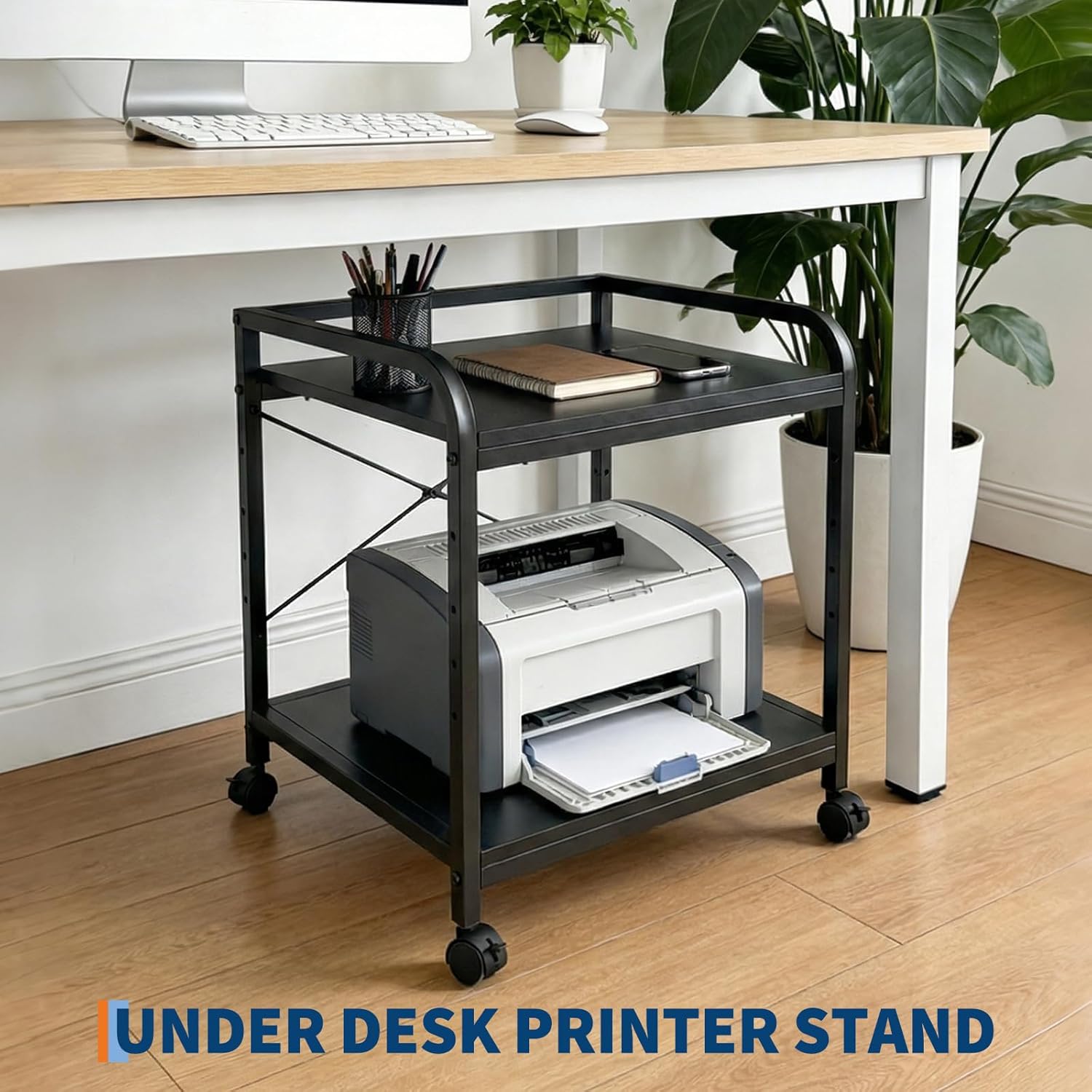
Figure 3: The top shelf offers 5 adjustable height positions for versatile storage.
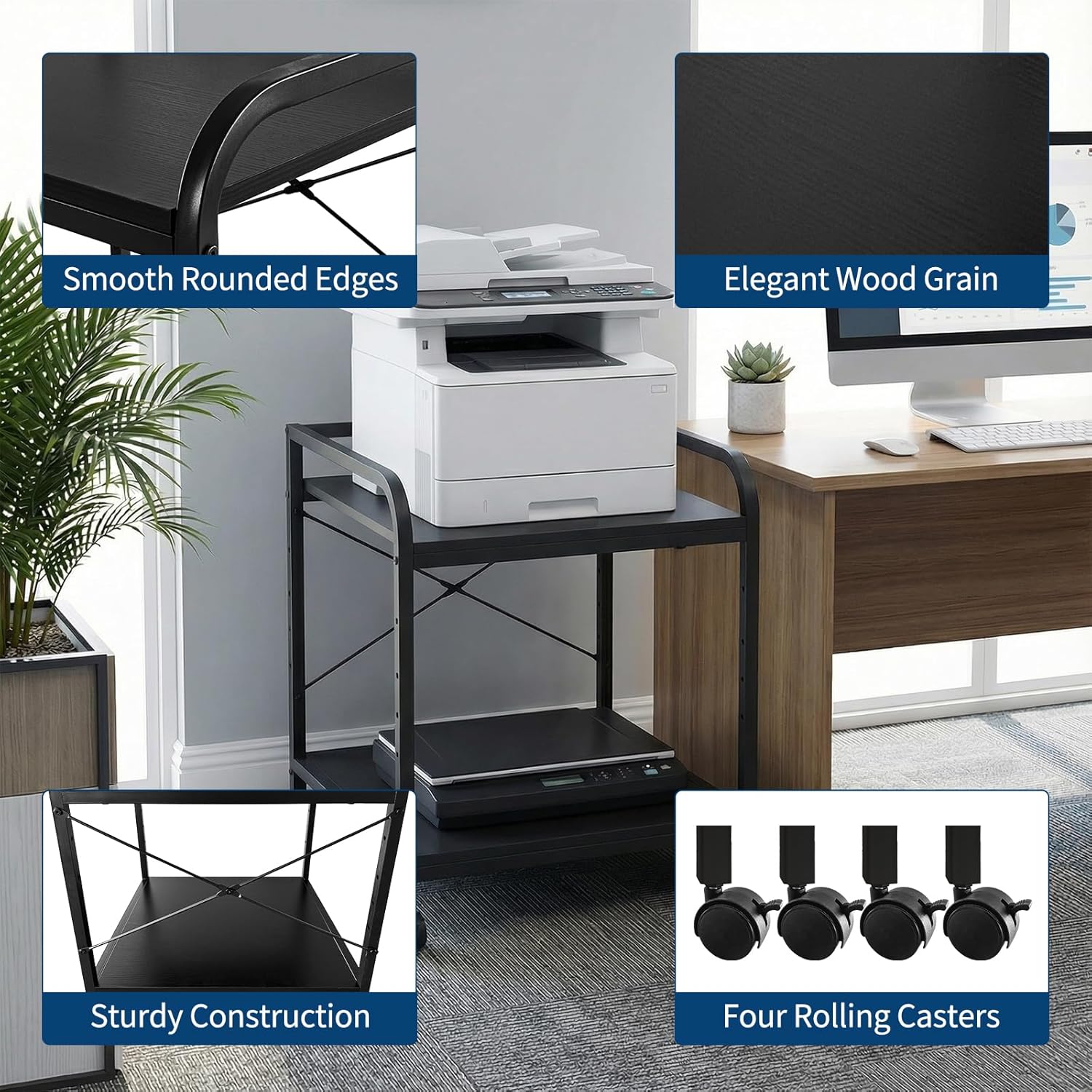
Figure 4: Detail of the stand's sturdy construction, smooth rounded edges, elegant wood grain finish, and four rolling casters.
5. Bedienungsanleitung
The Garvee Under Desk Printer Stand is designed for convenient use in your home or office.
5.1 Placing Equipment
Place your printer, scanner, or other office equipment on the top shelf. The bottom shelf can be used for storing paper, ink cartridges, or other supplies. Ensure the weight is distributed evenly.
5.2 Einstellen der Regalhöhe
To adjust the height of the top shelf, loosen the screws securing it to the side frames. Carefully lift or lower the shelf to one of the 5 available positions, then re-tighten the screws firmly.
5.3 Den Ständer bewegen
Unlock the two front casters to move the stand. Guide the stand to your desired location. Once positioned, lock both front casters to secure the stand and prevent unwanted movement.
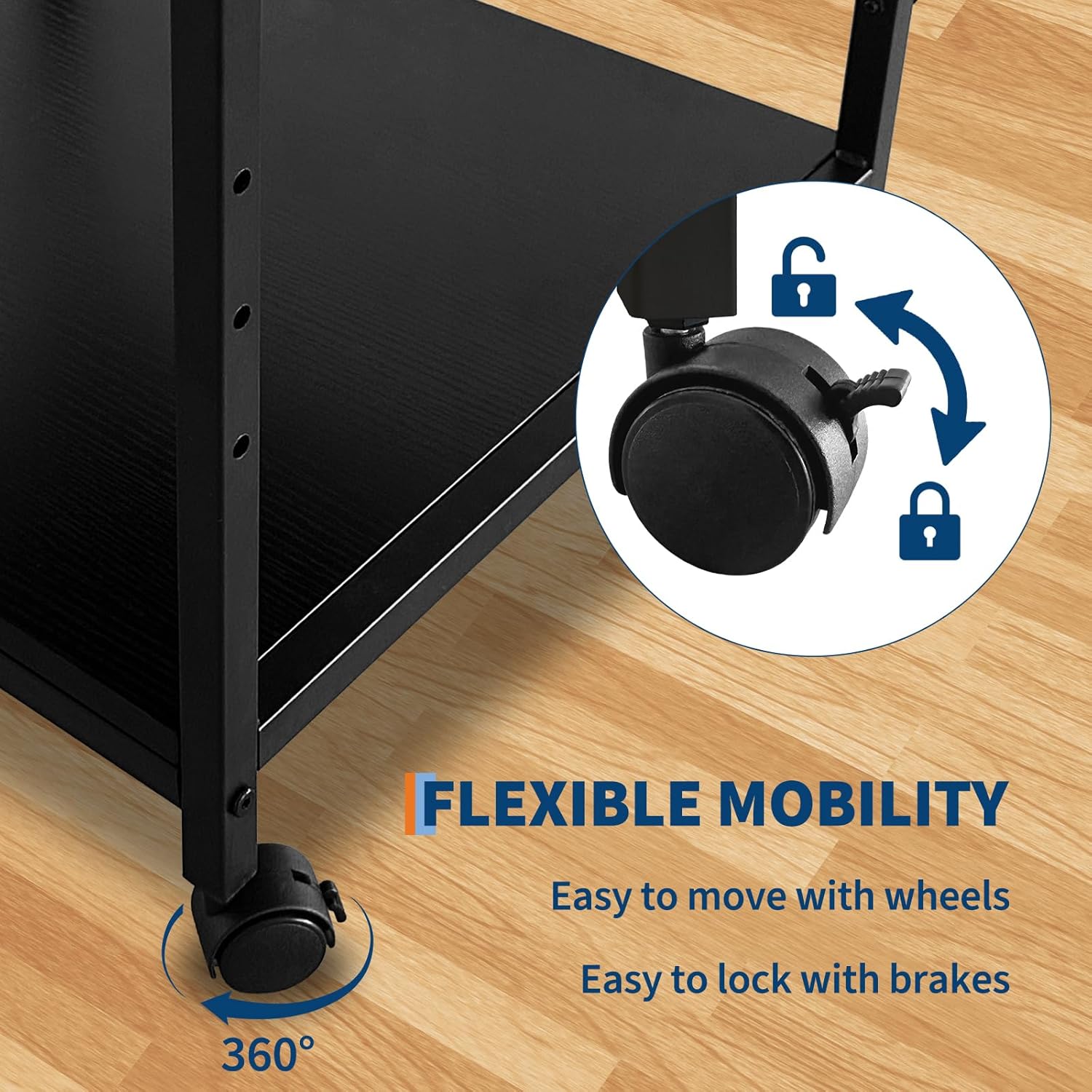
Figure 5: The stand features 360-degree rotating casters for easy movement and lockable brakes for stability.

Figure 6: The Garvee printer stand fits conveniently under most desks, optimizing workspace.
6. Wartung
To ensure the longevity and appearance of your printer stand:
- Reinigung: Wischen Sie die Oberflächen mit einem weichen, damp Mit einem Tuch abwischen. Vermeiden Sie aggressive Chemikalien oder Scheuermittel, da diese die Oberfläche beschädigen können.
- Inspektion: Überprüfen Sie regelmäßig alle Schrauben und Verbindungen, um sicherzustellen, dass sie fest sitzen. Ziehen Sie sie gegebenenfalls nach.
- Pflege des Casters: Keep the casters free of debris (hair, dust) to ensure smooth movement.
7. Fehlerbehebung
- Problem: Der Ständer ist wackelig oder instabil.
- Lösung: Ensure all screws are fully tightened. Check that the stand is on a level surface. Redistribute items on the shelves if weight is unevenly distributed.
- Issue: Casters do not roll smoothly.
- Lösung: Check for any debris (e.g., hair, dust) caught in the caster wheels and remove it. Ensure the casters are not locked.
- Issue: Shelf height adjustment is difficult.
- Lösung: Loosen the screws sufficiently before attempting to adjust the shelf. Ensure the shelf is lifted slightly to clear the adjustment pins before moving it to a new position.
8. Spezifikationen
| Technische Daten | 21.5 x 20 x 22.4 Zoll (L x B x H) |
| Artikelgewicht | 21.2 Pfund |
| Material | Particle Board (Desktop), Steel (Frame) |
| Farbe | Schwarz |
| Regale | 2 Tiers, Top Shelf Height Adjustable (5 positions) |
| Mobilität | 4 Rolling Casters (2 lockable) |
9. Garantie und Support
Garvee products are manufactured with quality and durability in mind. While specific warranty details are not provided in this manual, please refer to your purchase documentation or contact the retailer for information regarding warranty coverage.
For any questions, missing parts, or assistance with assembly or operation, please contact Garvee customer support through the retailer's platform or the official Garvee webWebsite.


