


PC23d |PC43d |PC43t
Installationsanweisungen für Ethernet-Module
Schalten Sie den Drucker aus und ziehen Sie das Netzkabel ab, bevor Sie beginnen.
 Befolgen Sie die Standardrichtlinien zur elektrostatischen Entladung (ESD), um eine Beschädigung der Ausrüstung zu vermeiden.
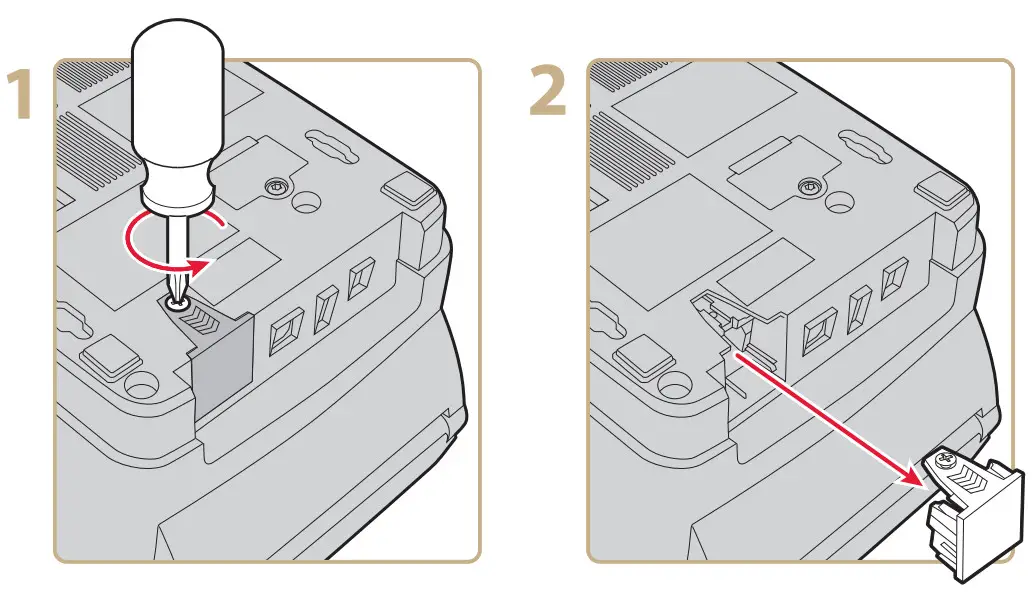

Weitere Informationen finden Sie im Benutzerhandbuch für die Desktop-Drucker PC23 und PC43.

Weltweites Hauptquartier
6001 36th Avenue West
Everett,Washington 98203
USA
Tel. 425.348.2600
Fax 425.355.9551
www.intermec.com
© 2011 Intermec-Technologien
Konzern. Alle Rechte vorbehalten.

Installationsanweisungen für die Ethernet-Module PC23d, PC43d und PC43t

Dokumente / Ressourcen
 | Ethernet-Modul |
Verweise
- Bedienungsanleitungmanual.tools
Veröffentlicht: 29. November 2021
Aktualisiert: 30. November 2021