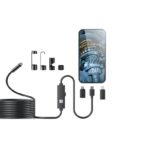
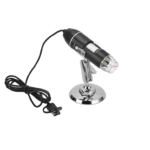
SKYEAR Handbücher & Benutzerhandbücher
SKYEAR specializes in digital inspection tools, manufacturing high-definition digital microscopes, endoscopes, and borescopes for industrial, educational, and hobbyist applications.
Über SKYEAR-Handbücher auf Manuals.plus
SKYEAR is a consumer electronics brand focused on digital imaging and optical inspection devices. The brand's product portfolio includes portable digital microscopes with integrated LCD screens and USB inspection cameras (endoscopes) designed to work seamlessly with smartphones and computers.
These tools are widely utilized for intricate tasks such as circuit board repair, jewelry appraisal, biological observation, and automotive engine inspection. SKYEAR products typically feature LED illumination, OTG compatibility for Android devices, and support for iOS and Windows platforms through dedicated apps.
SKYEAR-Handbücher
Neueste Handbücher von manuals+ Für diese Marke zusammengestellt.
SKYEAR W400-C Endoskopkamera mit Licht – Benutzerhandbuch
SKYEAR USB-Hand-Digitalmikroskop, kompatibel mit iOS- und Android-Geräten – Benutzerhandbuch
SKYEAR 4.3" Digitalmikroskop Benutzerhandbuch - Funktionen und Bedienungsanleitung
SKYEAR Digitalmikroskop: Benutzerhandbuch, Funktionen und Spezifikationen
SKYEAR-Handbücher von Online-Händlern
SKYEAR G40-M Endoscope User Manual
SKYEAR G40-M Endoskopkamera mit Licht – Benutzerhandbuch
SKYEAR 4.3" Digitalmikroskop – Benutzerhandbuch
SKYEAR support FAQ
Häufig gestellte Fragen zu Handbüchern, Registrierung und Support für diese Marke.
-
What devices are compatible with SKYEAR microscopes?
Most SKYEAR portable microscopes and endoscopes support Android devices (Android 6.0+ with OTG enabled), iOS devices (iOS 10.0+), and Windows/PC systems via USB connection.
-
Where can I download the software for my SKYEAR device?
For mobile devices, download the 'SUP-ANESOK' app or the specific app mentioned in your user guide from the App Store or Google Play. For PC, drivers may be available at links such as inskam.com or using the native Windows Camera app.
-
Why is the image blurry on my digital microscope?
Ensure the dust cover is removed from the lens. Adjust the focal length by rotating the focus adjustment wheel on the device until the object is sharp. Ensure the object is within the optimal focus range (typically 0-40mm or slightly more depending on the model).
-
An wen kann ich mich im Garantiefall wenden?
SKYEAR does not operate a direct consumer support portal. For warranty claims or returns, please contact the retailer or marketplace (e.g., Amazon) where the product was originally purchased.